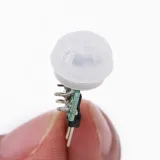
SKU: OT2047-B81 Artikelnummer: NB111 EAN: 4765791479546

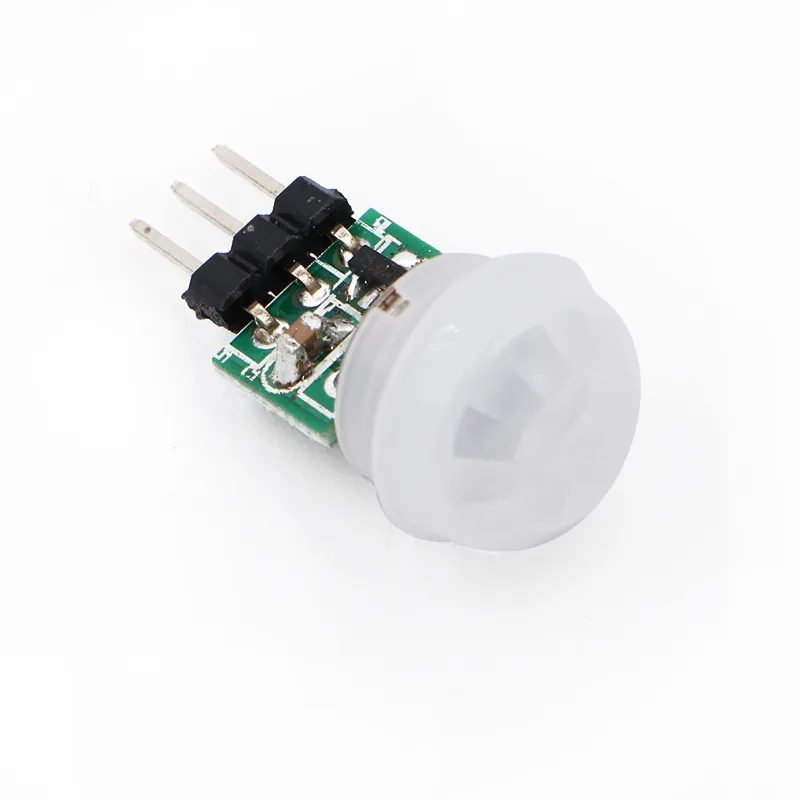
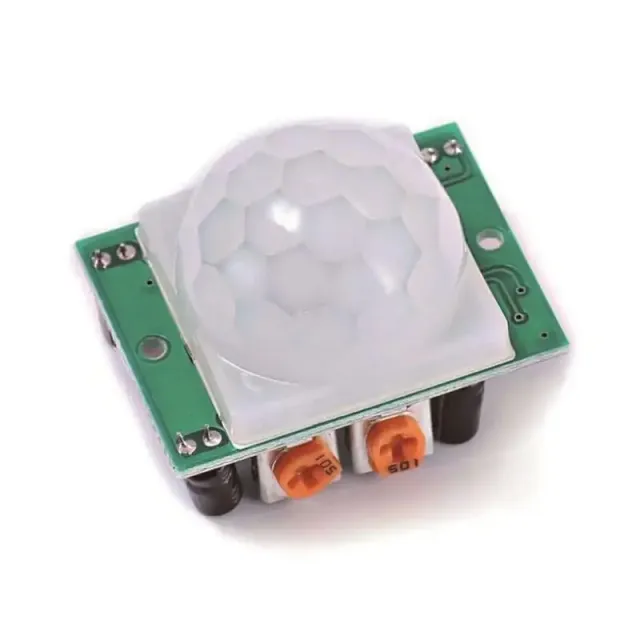
Den lilla brodern till den vanliga PIR-sensorn, huvudet har en diameter på endast 1,1cm
Stift:
- Vin (angivet med "+" och/eller "U1")
- Out (mittersta stiftet)
- GND/ground/min (angivet med "-" och/eller "C1")
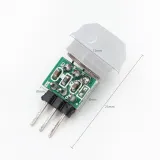
Mått
Längd: 2,8cm
Bredd: 1,4cm
Höjd: 1,4cm
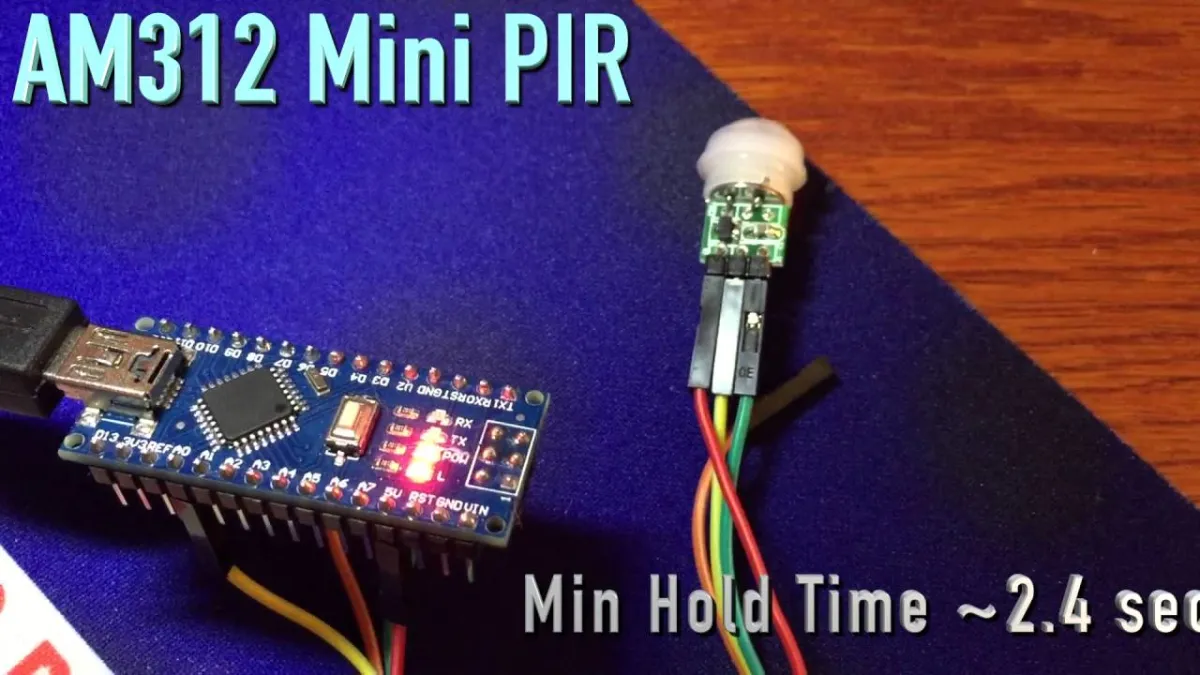
Vid uppspelning laddas videon från YouTube.
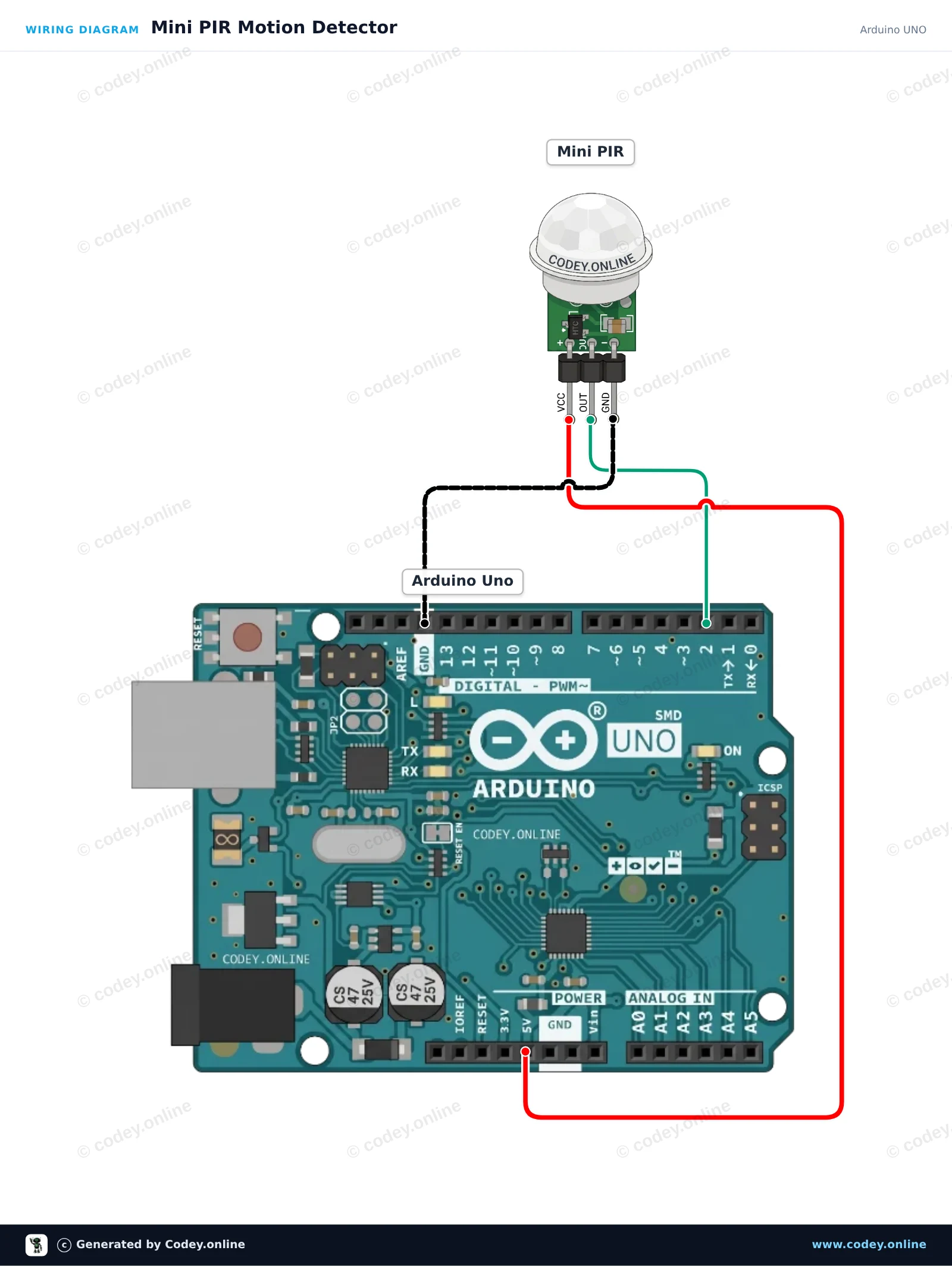
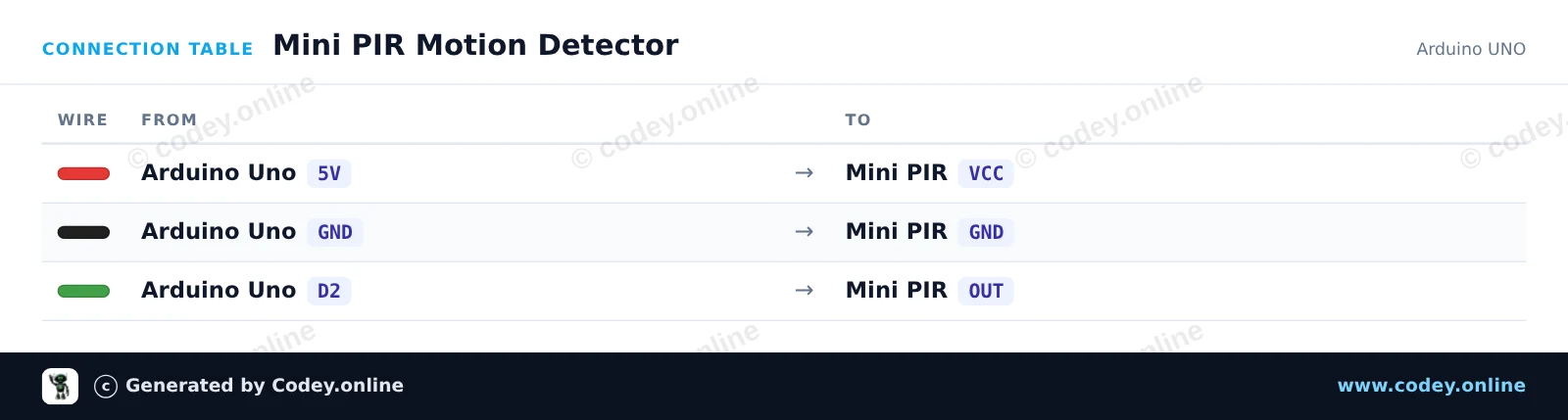
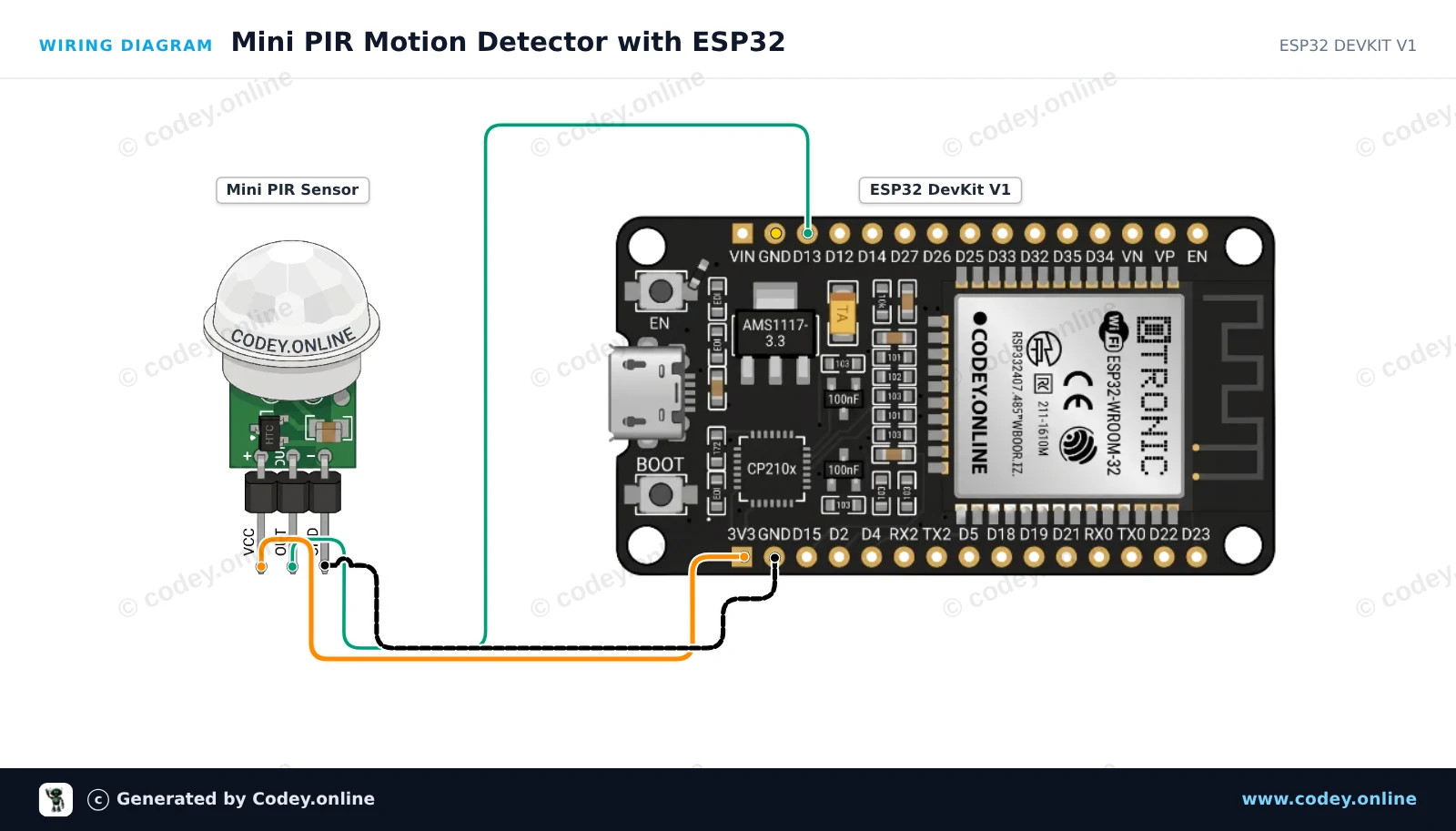
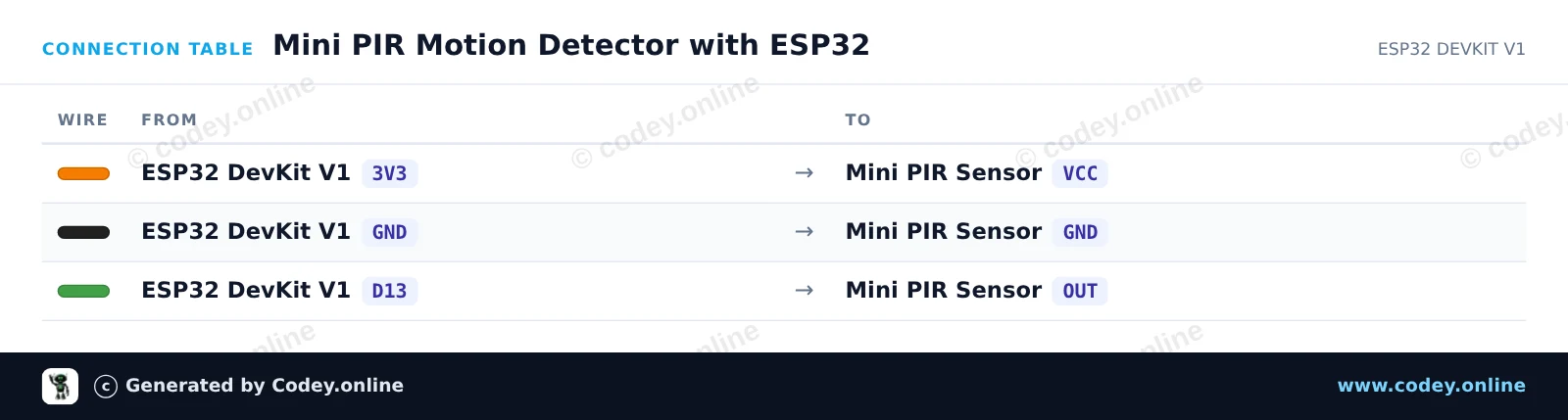
Så här kopplar du Mini PIR pyroelektrisk infraröd rörelsesensor till en Arduino UNO eller ESP32, med ett exempelsketch som du kan ladda upp direkt.
This project detects motion using a Mini PIR sensor and triggers the Arduino's built-in LED. When movement is detected, the LED turns on and a notification is printed to the Serial Monitor. Allow a brief warm-up period after powering on for the sensor to stabilize.
/*
 * ==================================================================
 *  Generated by Codey.online  —  https://www.codey.online
 * ==================================================================
 *  Project   : Mini PIR Motion Detector
 *  Board     : Arduino UNO (arduino:avr:uno)
 *  Parts     : Mini PIR
 *  Libraries : none (built-in)
 *
 *  Codey Online is an AI-powered browser IDE for Arduino and ESP32.
 *  Describe your project and Codey writes the code, draws the wiring
 *  diagram and uploads it to your board, straight from the browser.
 *  This code is free to use, modify and share, without warranty.
 * ==================================================================
 */

// Pin definitions
const int pirPin = 2;
const int ledPin = 13;

void setup() {
  pinMode(pirPin, INPUT);
  pinMode(ledPin, OUTPUT);

  Serial.begin(115200);
  Serial.println(F("Mini PIR Sensor Initializing..."));
  Serial.println(F("Waiting 5 seconds for sensor to settle..."));
  delay(5000);
  Serial.println(F("Ready! Monitoring for motion..."));
}

void loop() {
  int motionDetected = digitalRead(pirPin);

  if (motionDetected == HIGH) {
    digitalWrite(ledPin, HIGH);
    Serial.println(F("Motion detected!"));
  } else {
    digitalWrite(ledPin, LOW);
    Serial.println(F("Scanning... No motion."));
  }

  delay(300);
}Wiring diagram and example code generated by Codey.online — https://www.codey.online
This project detects human motion using a Mini PIR motion sensor. When motion is detected, the ESP32 turns on the onboard LED (GPIO 2) and logs a message to the Serial Monitor. Powering the sensor with 3.3V ensures safe signal levels for the ESP32 input.
/*
 * ==================================================================
 *  Generated by Codey.online  —  https://www.codey.online
 * ==================================================================
 *  Project   : Mini PIR Motion Detector with ESP32
 *  Board     : ESP32 DEVKIT V1 (esp32:esp32:esp32doit-devkit-v1)
 *  Parts     : Mini PIR
 *  Libraries : none (built-in)
 *
 *  Codey Online is an AI-powered browser IDE for Arduino and ESP32.
 *  Describe your project and Codey writes the code, draws the wiring
 *  diagram and uploads it to your board, straight from the browser.
 *  This code is free to use, modify and share, without warranty.
 * ==================================================================
 */

// Mini PIR Motion Detection with ESP32

const int PIR_PIN = 13;     // Connected to Mini PIR OUT
const int LED_PIN = 2;      // ESP32 onboard LED

int lastState = LOW;

void setup() {
  Serial.begin(115200);
  pinMode(PIR_PIN, INPUT);
  pinMode(LED_PIN, OUTPUT);
  digitalWrite(LED_PIN, LOW);

  Serial.println("PIR Sensor Initializing... Please wait 10-30s for sensor warm-up.");
}

void loop() {
  int currentState = digitalRead(PIR_PIN);

  if (currentState != lastState) {
    lastState = currentState;
    if (currentState == HIGH) {
      digitalWrite(LED_PIN, HIGH);
      Serial.println("Motion detected!");
    } else {
      digitalWrite(LED_PIN, LOW);
      Serial.println("Motion ended.");
    }
  }

  delay(50);
}Wiring diagram and example code generated by Codey.online — https://www.codey.online





 English
  Nederlands
  Frans
Frans  Deutsch
  Italiano
  Español
  Suomi
Suomi  Polski
  Dansk
Dansk  Ελληνικά
  Български
  Čeština
  Hrvatski
  Aileen