SKU: OT823-C64 Artikelnummer: XM968 EAN: 2115440195952

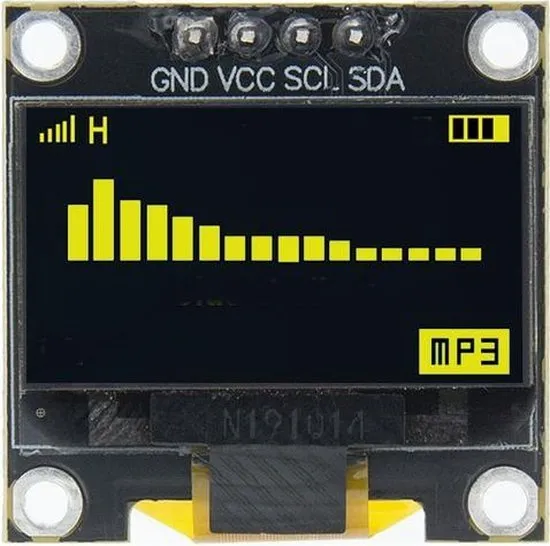
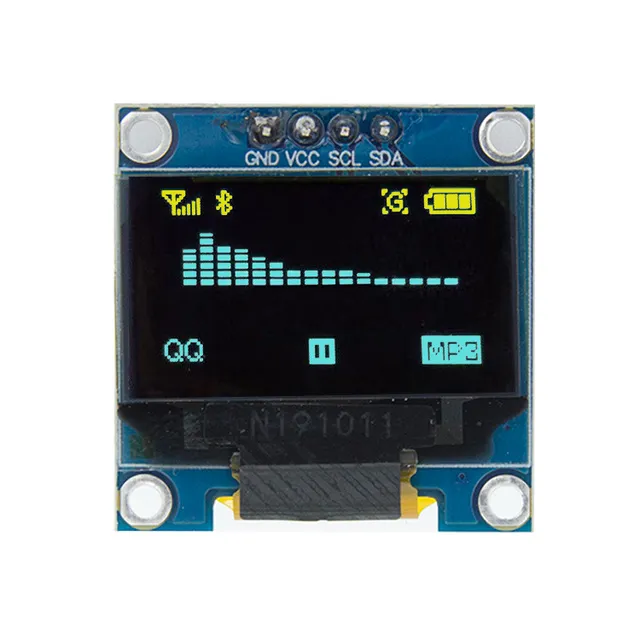
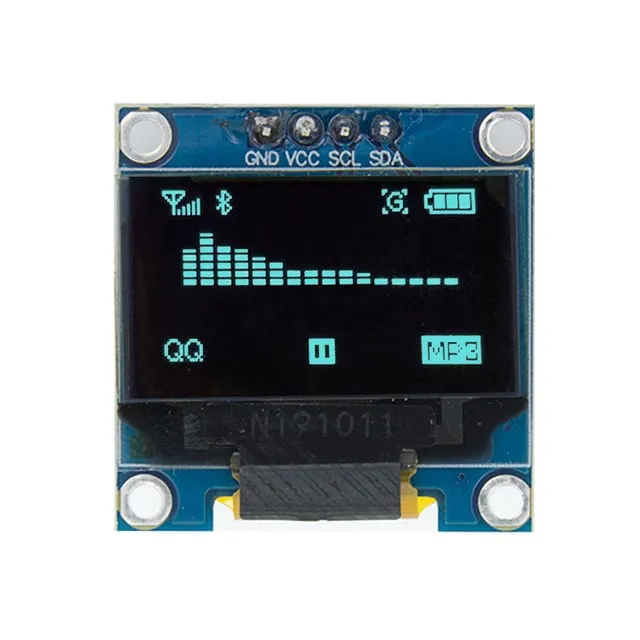
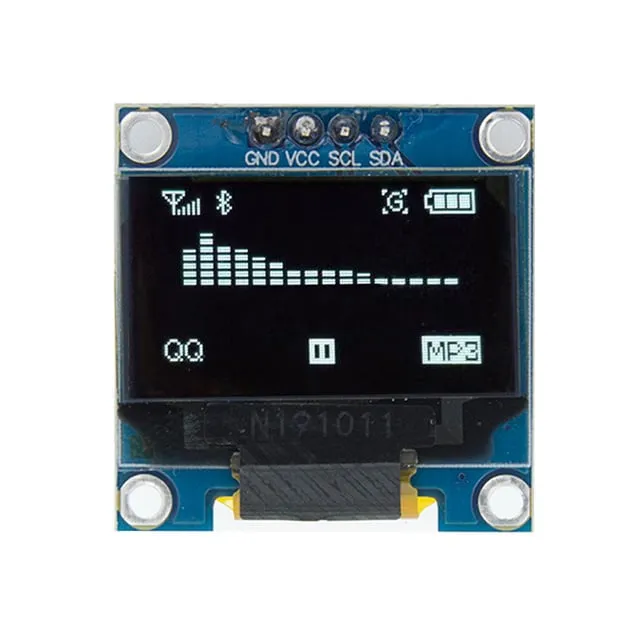
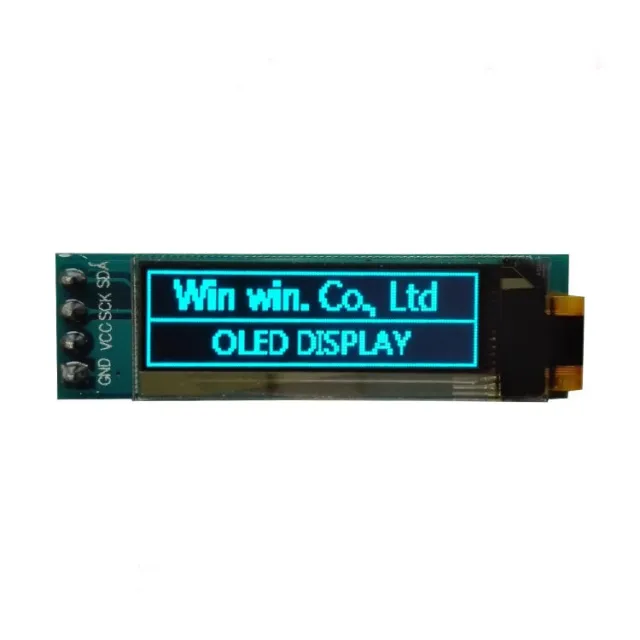
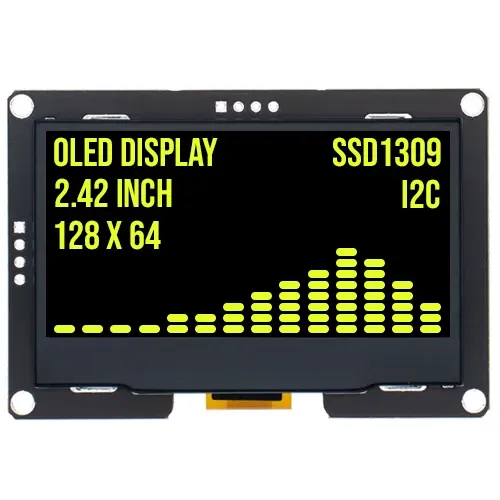
0,96 inch mini gul OLED-skärm. Knivskarp bild med en upplösning på 128x64 pixlar.
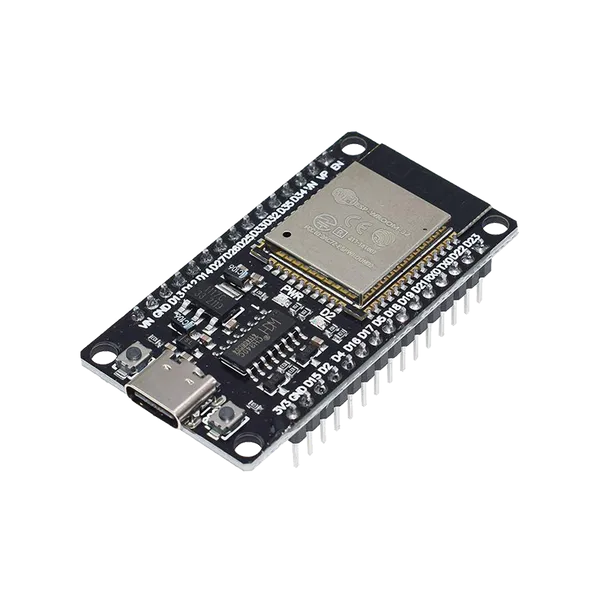
Fungerar med en strömkälla på 3v-5v. Perfekt för Arduino- eller ESP32 / ESP8266-projekt.
Måtten på detta board är endast 26,1 x 26,1 x 3,2mm.
Mått
Längd: 2,61cm
Bredd: 2,61cm
Höjd: 0,32cm
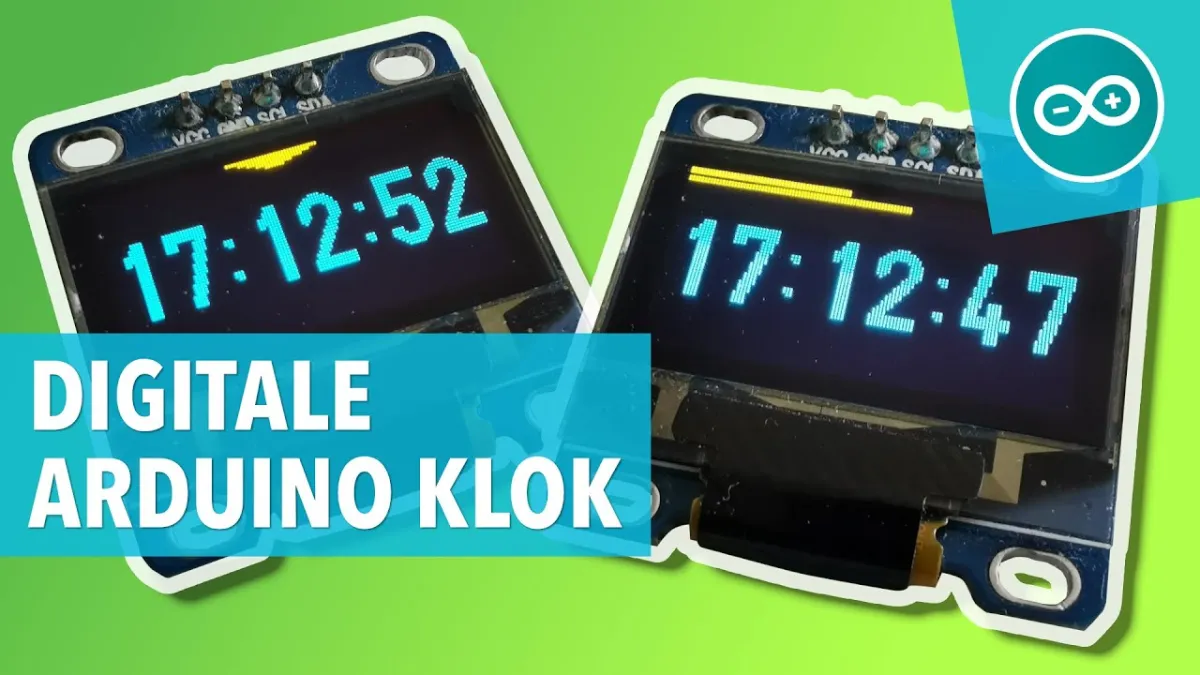
Vid uppspelning laddas videon från YouTube.
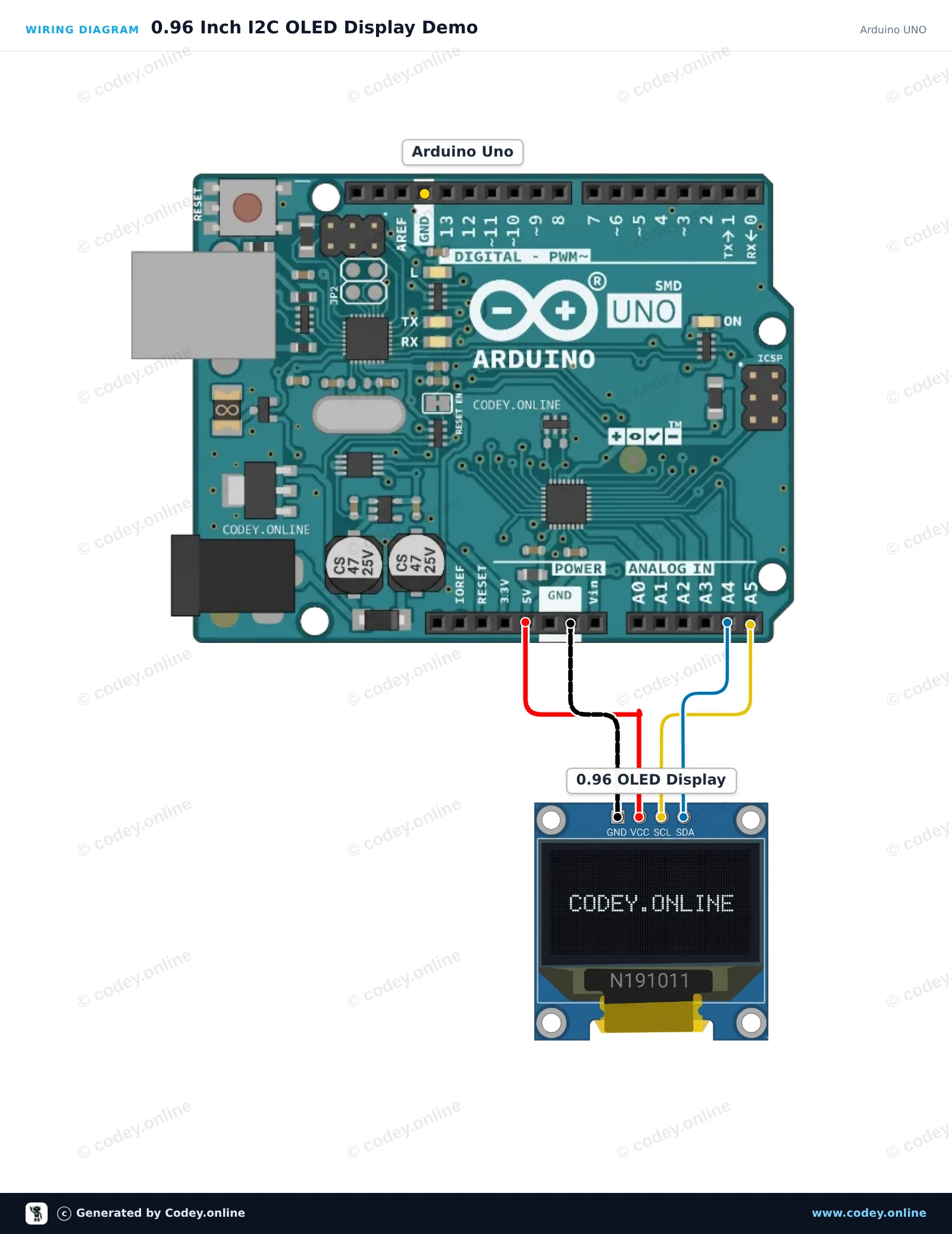
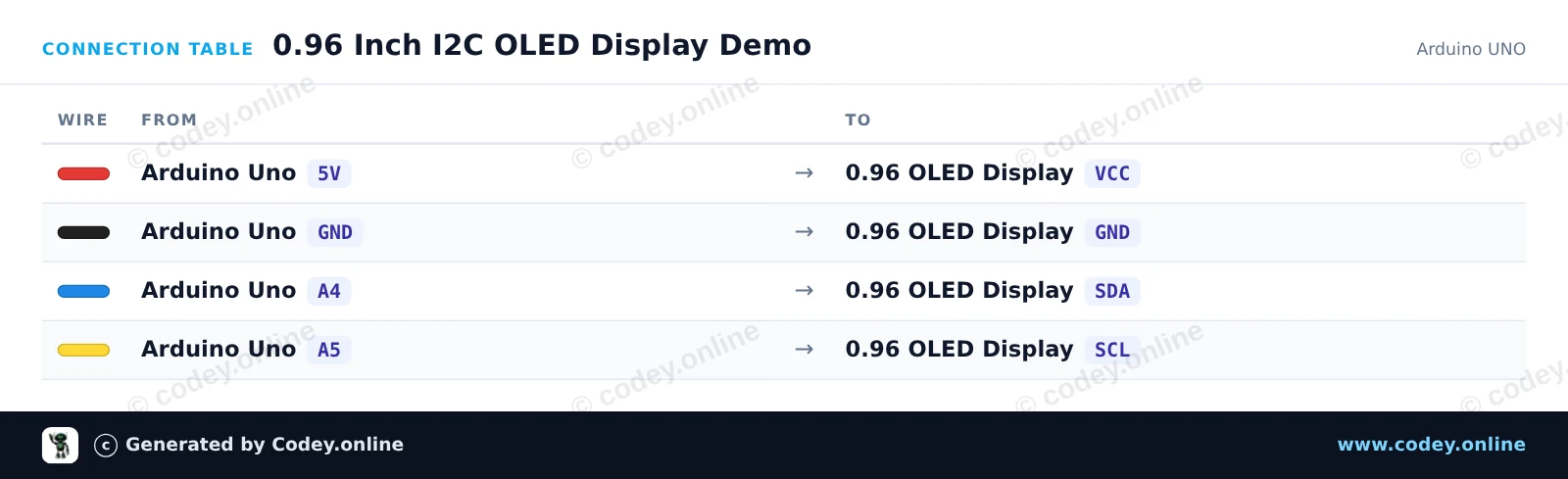
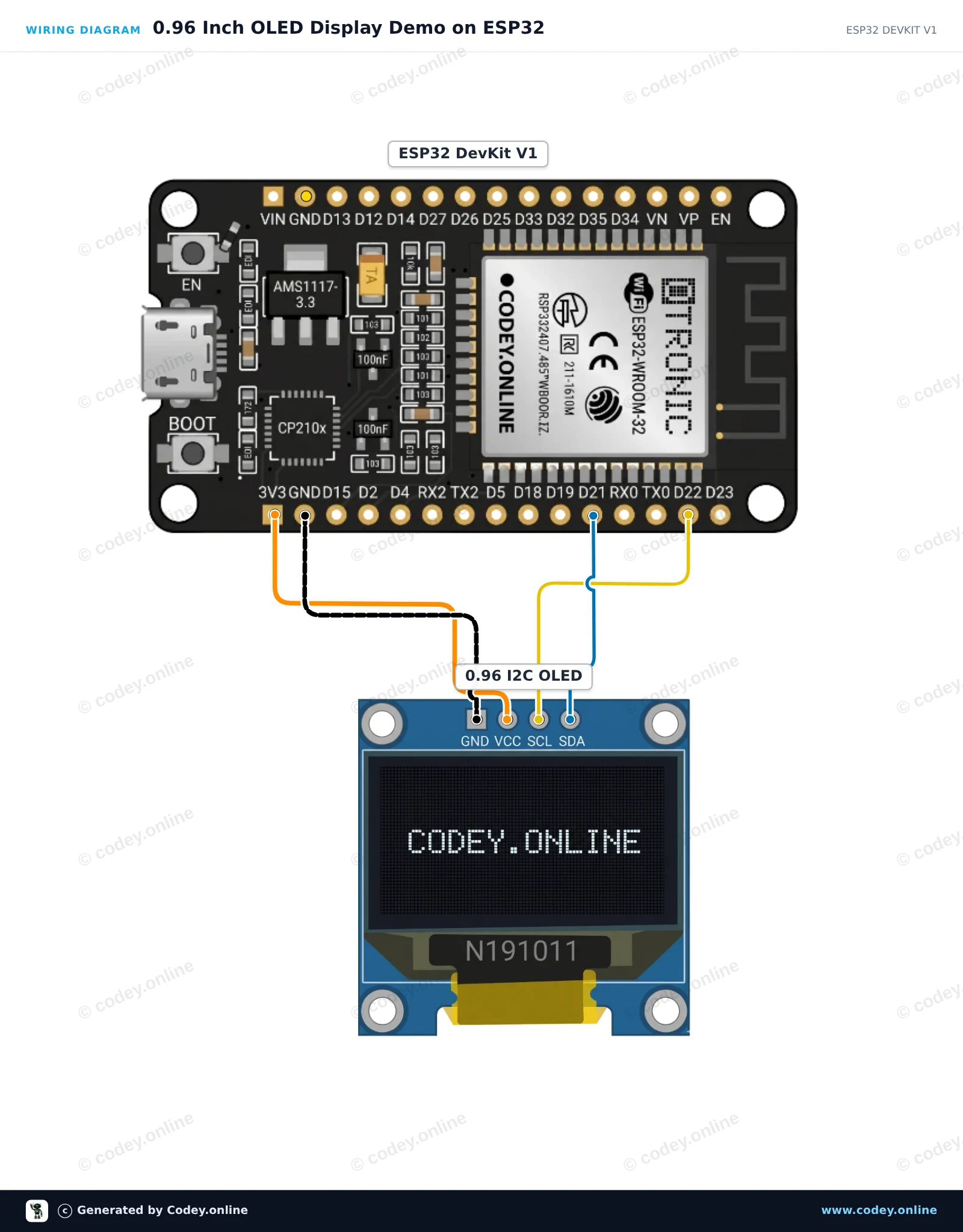
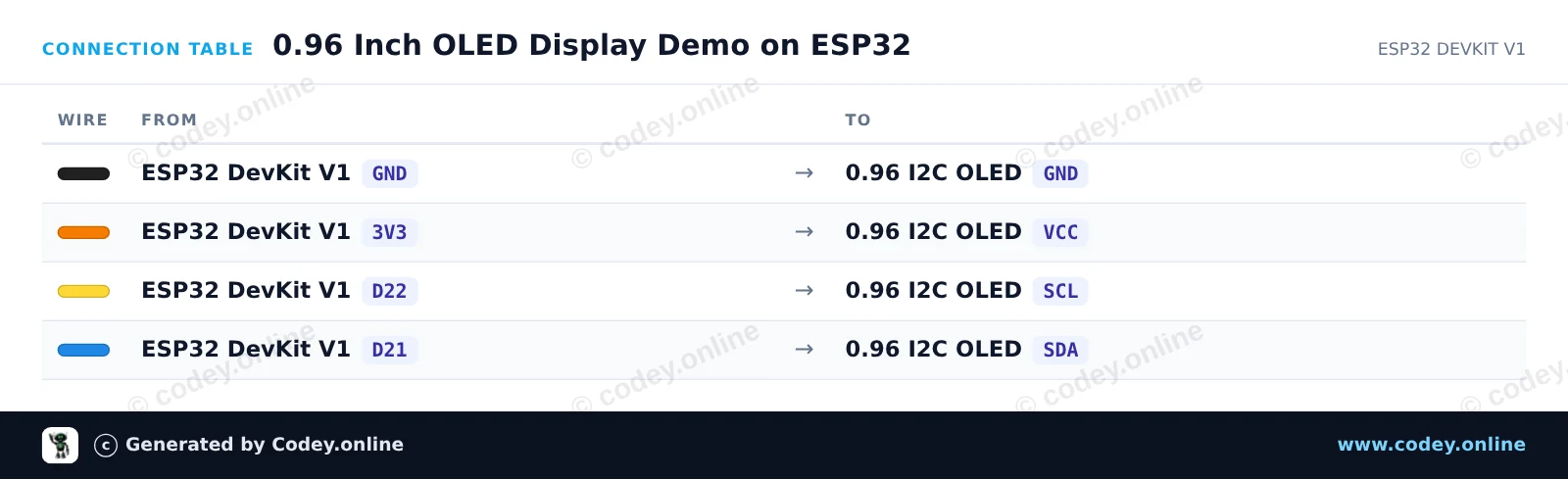
Så här kopplar du Mini OLED-display gul 0.96 inch 128x64 I2C till en Arduino UNO eller ESP32, med ett exempelsketch som du kan ladda upp direkt.
Connects the 0.96-inch I2C OLED display (SSD1306) to the Arduino Uno to display text, lines, and an incrementing counter. The display communicates over I2C using A4 for SDA and A5 for SCL. U8g2 manages the display rendering using an efficient page buffer.
/*
 * ==================================================================
 *  Generated by Codey.online  —  https://www.codey.online
 * ==================================================================
 *  Project   : 0.96 Inch I2C OLED Display Demo
 *  Board     : Arduino UNO (arduino:avr:uno)
 *  Parts     : OLED Display 0.96 inch
 *  Libraries : U8g2 2.36.19
 *
 *  Codey Online is an AI-powered browser IDE for Arduino and ESP32.
 *  Describe your project and Codey writes the code, draws the wiring
 *  diagram and uploads it to your board, straight from the browser.
 *  This code is free to use, modify and share, without warranty.
 * ==================================================================
 */

#include <Wire.h>
#include <U8g2lib.h>

// 128x64 SSD1306 noname I2C display using page buffer (low RAM usage)
U8G2_SSD1306_128X64_NONAME_1_HW_I2C u8g2(U8G2_R0, /* reset=*/ U8X8_PIN_NONE);

int counter = 0;

void setup() {
  Serial.begin(115200);
  u8g2.begin();
}

void loop() {
  u8g2.firstPage();
  do {
    u8g2.setFont(u8g2_font_ncenB08_tr);
    u8g2.drawStr(0, 12, "0.96\" OLED Demo");
    u8g2.drawHLine(0, 15, 128);

    u8g2.drawStr(0, 32, "Uptime:");
    u8g2.setCursor(60, 32);
    u8g2.print(millis() / 1000);
    u8g2.print(" s");

    u8g2.drawStr(0, 50, "Count:");
    u8g2.setCursor(60, 50);
    u8g2.print(counter);
  } while (u8g2.nextPage());

  counter++;
  delay(1000);
}Nödvändiga bibliotek: U8g2 2.36.19
Wiring diagram and example code generated by Codey.online — https://www.codey.online
This project connects a 0.96 inch I2C OLED display (SSD1306) to an ESP32. The sketch initializes the display and presents a simple welcome message along with an updating uptime counter. It is a quick and clean way to verify your display is working.
/*
 * ==================================================================
 *  Generated by Codey.online  —  https://www.codey.online
 * ==================================================================
 *  Project   : 0.96 Inch OLED Display Demo on ESP32
 *  Board     : ESP32 DEVKIT V1 (esp32:esp32:esp32doit-devkit-v1)
 *  Parts     : OLED Display 0.96 inch
 *  Libraries : Adafruit SSD1306 2.5.16, Adafruit GFX Library 1.12.6
 *
 *  Codey Online is an AI-powered browser IDE for Arduino and ESP32.
 *  Describe your project and Codey writes the code, draws the wiring
 *  diagram and uploads it to your board, straight from the browser.
 *  This code is free to use, modify and share, without warranty.
 * ==================================================================
 */

#include <Wire.h>
#include <Adafruit_GFX.h>
#include <Adafruit_SSD1306.h>

#define SCREEN_WIDTH 128
#define SCREEN_HEIGHT 64
#define OLED_RESET -1
#define SCREEN_ADDRESS 0x3C

Adafruit_SSD1306 display(SCREEN_WIDTH, SCREEN_HEIGHT, &Wire, OLED_RESET);

int counter = 0;

void setup() {
  Serial.begin(115200);

  // Initialize I2C with default ESP32 pins (SDA=21, SCL=22)
  Wire.begin(21, 22);

  if (!display.begin(SSD1306_SWITCHCAPVCC, SCREEN_ADDRESS)) {
    Serial.println(F("SSD1306 allocation failed"));
    while (true); // Freeze if display initialization fails
  }

  display.clearDisplay();
  display.setTextColor(SSD1306_WHITE);
  display.setTextSize(1);
  display.setCursor(10, 10);
  display.println("ESP32 OLED Test");
  display.display();
  delay(2000);
}

void loop() {
  display.clearDisplay();

  // Header
  display.setTextSize(1);
  display.setCursor(0, 0);
  display.println("ESP32 DevKit V1");
  display.drawLine(0, 10, 127, 10, SSD1306_WHITE);

  // Counter display
  display.setTextSize(2);
  display.setCursor(10, 24);
  display.print("Count: ");
  display.print(counter);

  // Uptime in seconds
  display.setTextSize(1);
  display.setCursor(10, 48);
  display.print("Uptime: ");
  display.print(millis() / 1000);
  display.print(" s");

  display.display();
  counter++;
  delay(1000);
}Nödvändiga bibliotek: Adafruit SSD1306 2.5.16, Adafruit GFX Library 1.12.6
Wiring diagram and example code generated by Codey.online — https://www.codey.online





 English
  Nederlands
  Frans
Frans  Deutsch
  Italiano
  Español
  Suomi
Suomi  Polski
  Dansk
Dansk  Ελληνικά
  Български
  Čeština
  Hrvatski
  Aileen