SKU: OT821-C63 Artikelnummer: AA412 EAN: 8720589817036

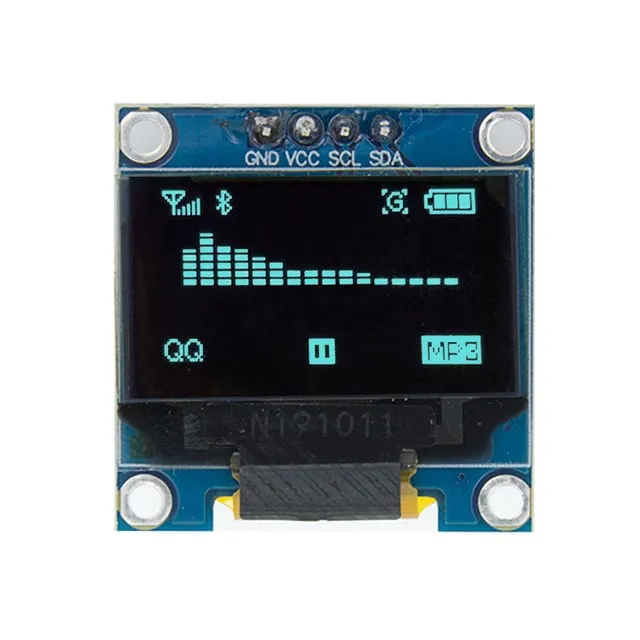
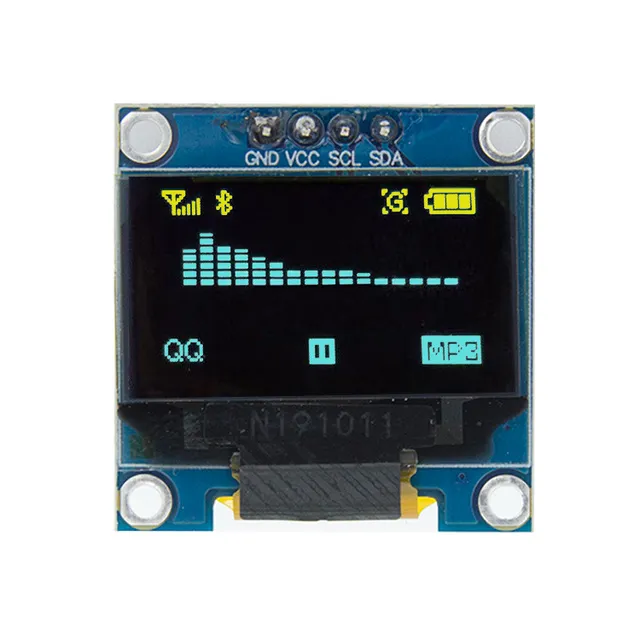
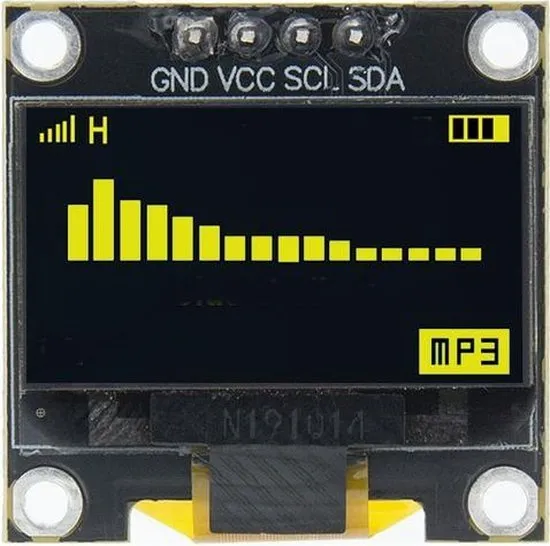
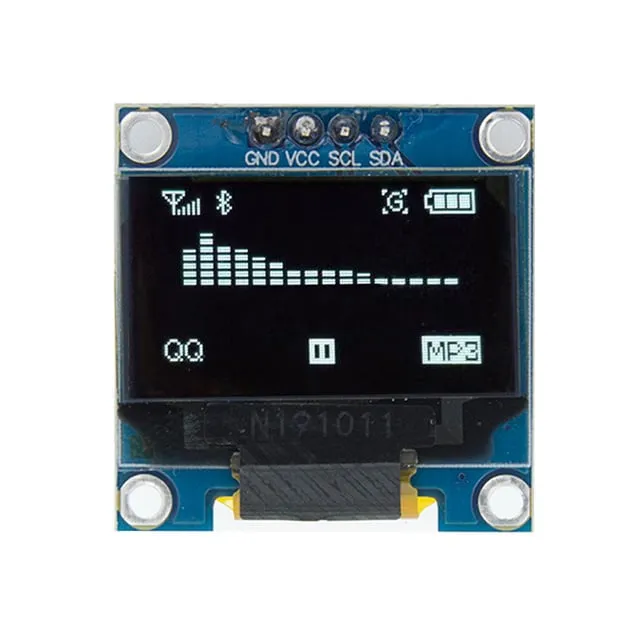
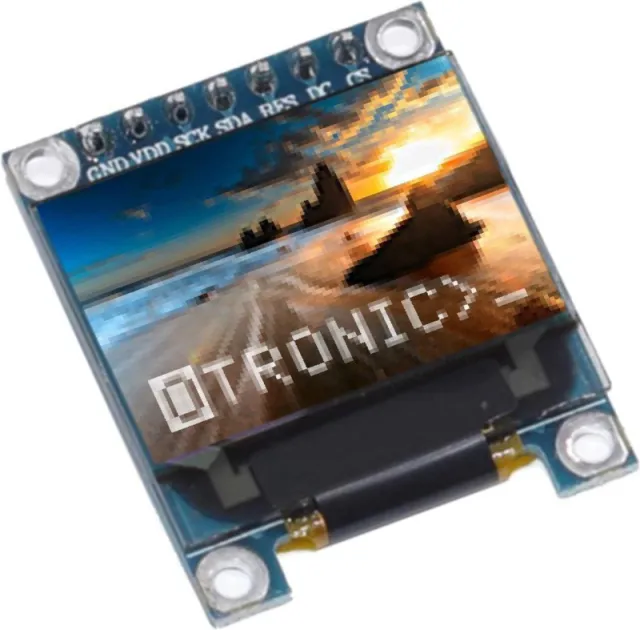
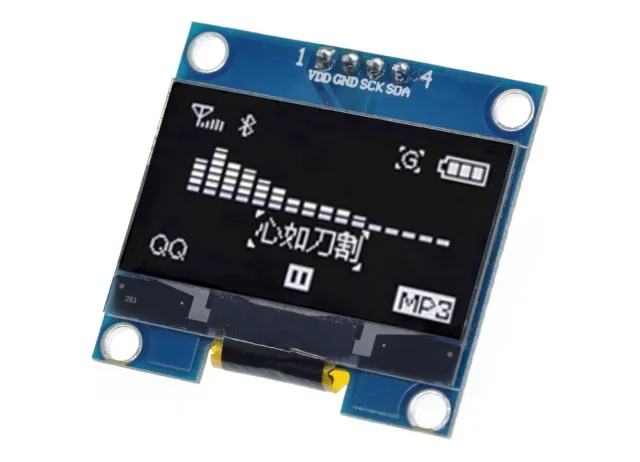
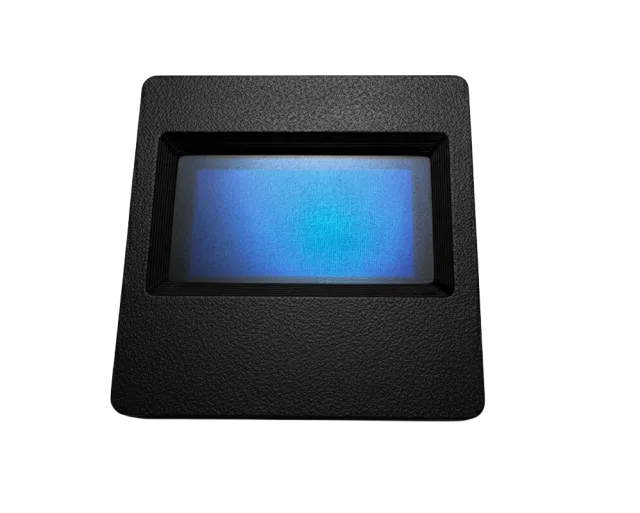
0,96 tum mini OLED-skärm. Knivskarp bild med en upplösning på 128x64 pixlar.
Fungerar med en matningsspänning på 3v-5v. Perfekt för Arduino- eller ESP32 / ESP8266-projekt.
Måtten på detta kort är endast 26,1 x 26,1 x 3,2mm.
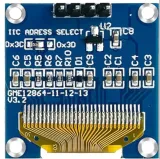
Det finns 2 i2c-adresser att välja mellan genom att ändra motståndet på baksidan.
Tillgängliga adresser är: 0x3C (default) och x3D
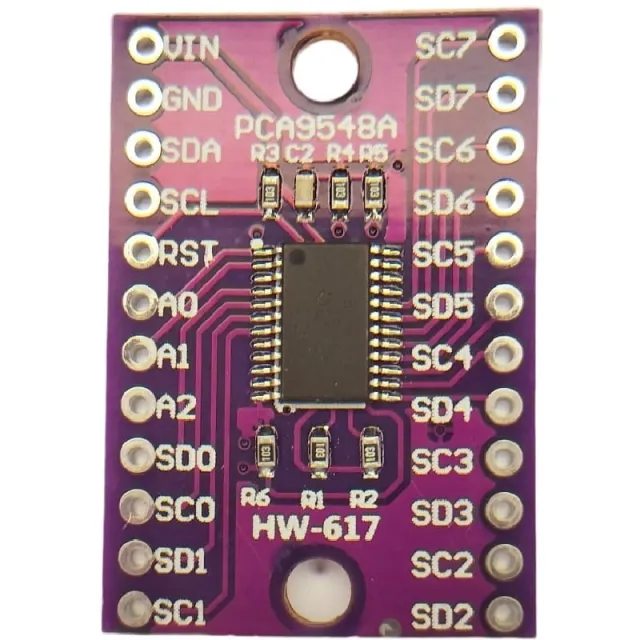
Om du vill styra flera OLED-displayer eller inte vill löda SMD-komponenterna kan du med en i2c mutliplexer också styra upp till 8x i2C-displayer med samma adress.
Mått
Längd: 2,61cm
Bredd: 2,61cm
Höjd: 0,32cm
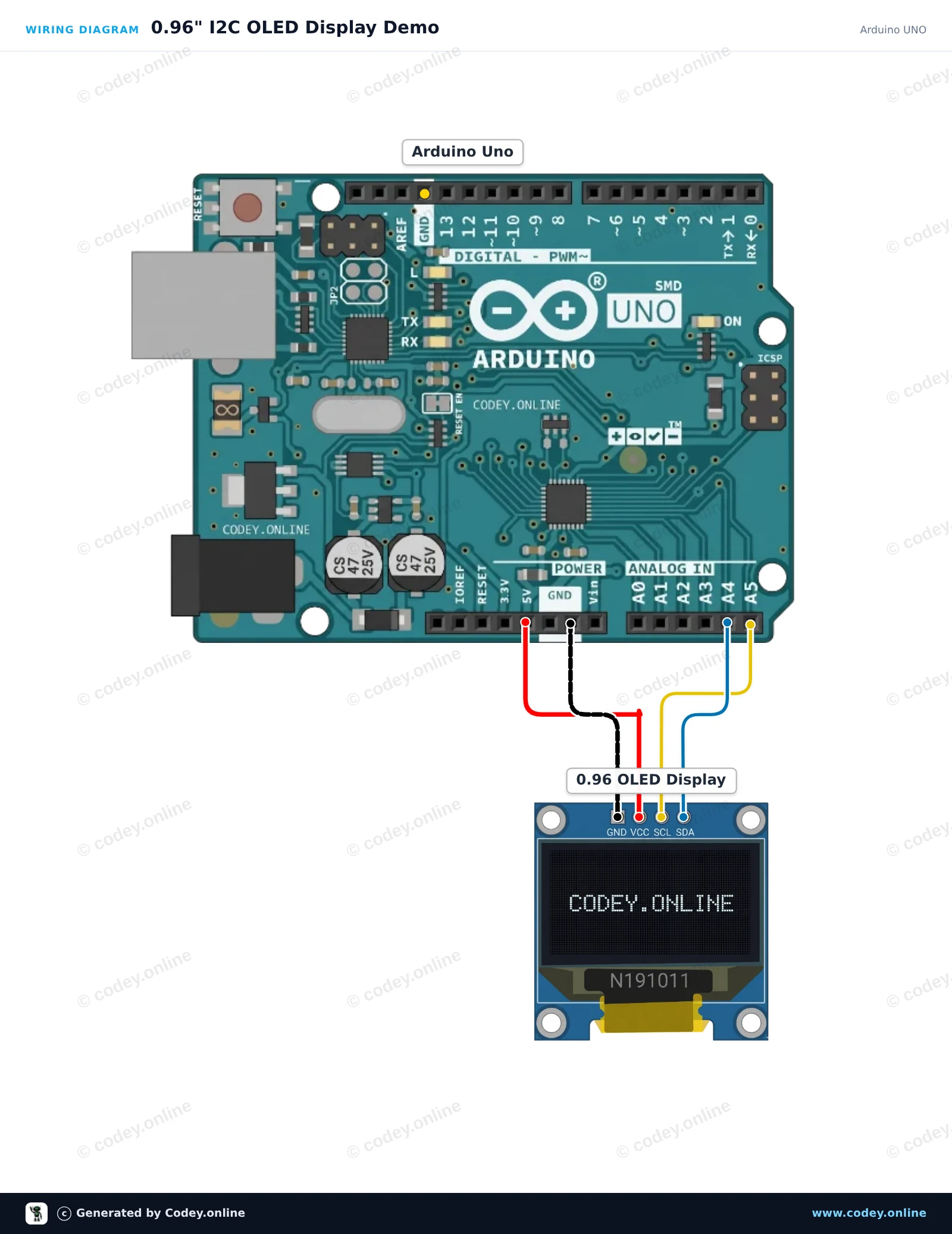
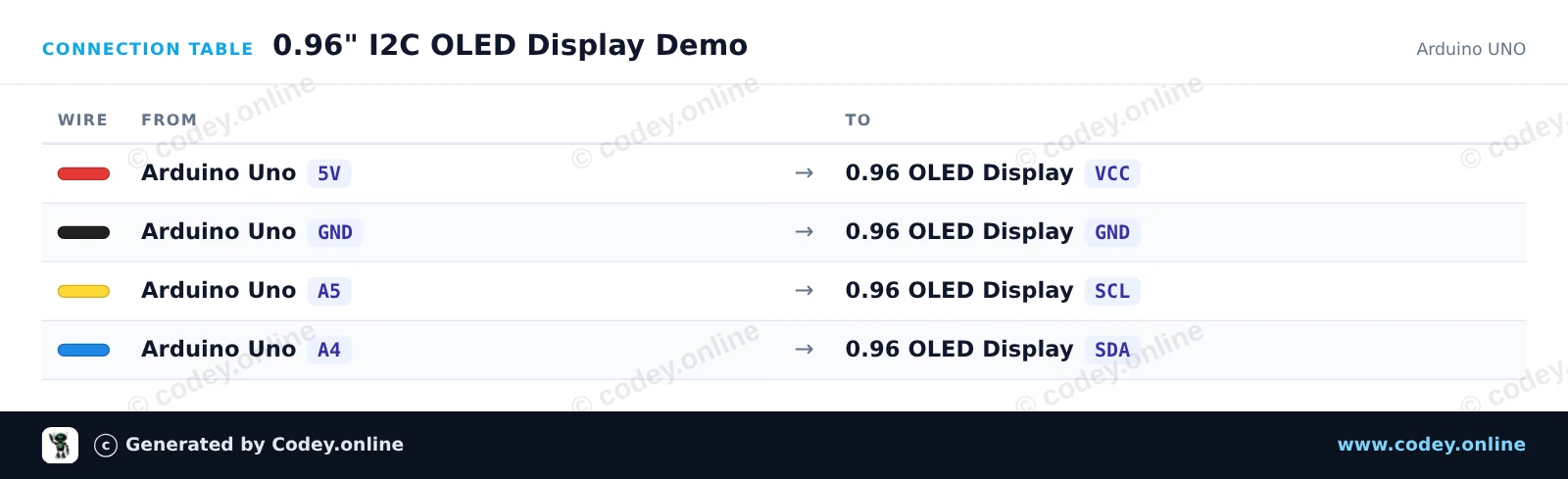
Så här kopplar du Mini OLED-display blå 0,96 tum 128x64 I2C till en Arduino UNO eller ESP32, med ett exempelsketch som du kan ladda upp direkt.
Connect the 0.96-inch I2C OLED display directly to the Arduino Uno's I2C pins (A4 for SDA, A5 for SCL). The sketch initializes the display using the U8g2 library and updates an on-screen counter every second.
/*
 * ==================================================================
 *  Generated by Codey.online  —  https://www.codey.online
 * ==================================================================
 *  Project   : 0.96" I2C OLED Display Demo
 *  Board     : Arduino UNO (arduino:avr:uno)
 *  Parts     : OLED Display 0.96 inch
 *  Libraries : U8g2 2.36.19
 *
 *  Codey Online is an AI-powered browser IDE for Arduino and ESP32.
 *  Describe your project and Codey writes the code, draws the wiring
 *  diagram and uploads it to your board, straight from the browser.
 *  This code is free to use, modify and share, without warranty.
 * ==================================================================
 */

#include <Wire.h>
#include <U8g2lib.h>

// Initialize 128x64 SSD1306 I2C display in page-buffer mode (low RAM usage)
U8G2_SSD1306_128X64_NONAME_1_HW_I2C u8g2(U8G2_R0, /* reset=*/ U8X8_PIN_NONE);

unsigned int counter = 0;

void setup() {
  Serial.begin(115200);
  u8g2.begin();
  Serial.println(F("OLED display initialized."));
}

void loop() {
  u8g2.firstPage();
  do {
    // Header
    u8g2.setFont(u8g2_font_ncenB08_tr);
    u8g2.drawStr(0, 12, "0.96\" OLED Demo");
    u8g2.drawHLine(0, 16, 128);

    // Content
    u8g2.setFont(u8g2_font_6x10_tf);
    u8g2.drawStr(0, 32, "Arduino UNO + I2C");

    u8g2.drawStr(0, 48, "Count: ");
    u8g2.setCursor(45, 48);
    u8g2.print(counter);

    u8g2.drawStr(0, 62, "Status: Running");
  } while (u8g2.nextPage());

  Serial.print(F("Counter: "));
  Serial.println(counter);

  counter++;
  delay(1000);
}Nödvändiga bibliotek: U8g2 2.36.19
Wiring diagram and example code generated by Codey.online — https://www.codey.online
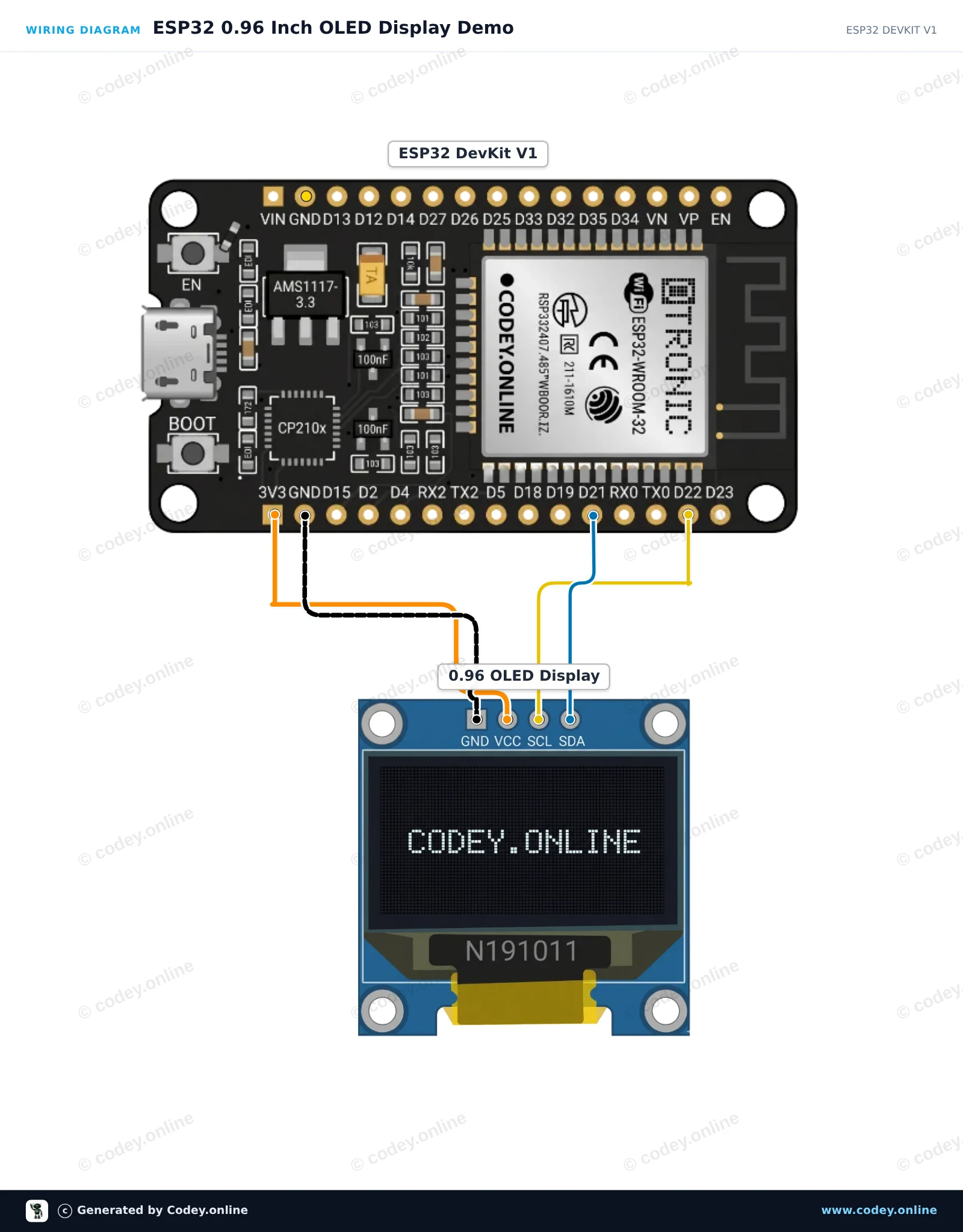
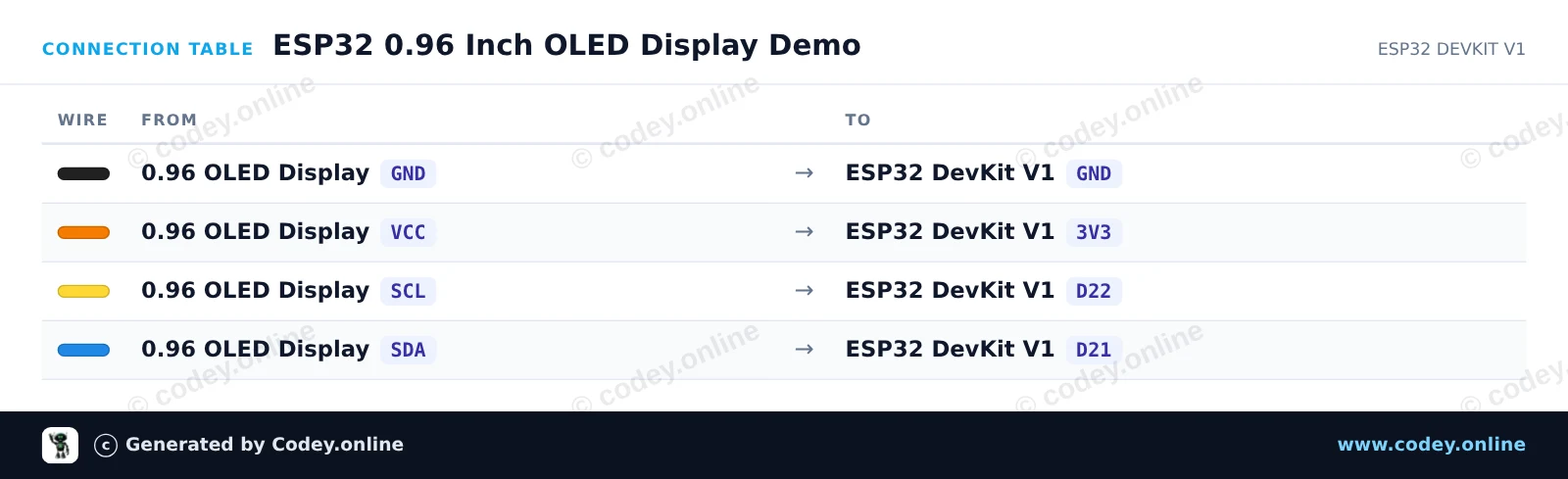
This project connects an I2C 0.96-inch SSD1306 OLED display to the ESP32. It initializes the display and continuously updates an on-screen uptime counter and visual progress bar. Connect the display directly to the ESP32 using 3.3V power and the default I2C pins.
/*
 * ==================================================================
 *  Generated by Codey.online  —  https://www.codey.online
 * ==================================================================
 *  Project   : ESP32 0.96 Inch OLED Display Demo
 *  Board     : ESP32 DEVKIT V1 (esp32:esp32:esp32doit-devkit-v1)
 *  Parts     : OLED Display 0.96 inch
 *  Libraries : Adafruit SSD1306 2.5.16, Adafruit GFX Library 1.12.6
 *
 *  Codey Online is an AI-powered browser IDE for Arduino and ESP32.
 *  Describe your project and Codey writes the code, draws the wiring
 *  diagram and uploads it to your board, straight from the browser.
 *  This code is free to use, modify and share, without warranty.
 * ==================================================================
 */

#include <Wire.h>
#include <Adafruit_GFX.h>
#include <Adafruit_SSD1306.h>

#define SCREEN_WIDTH 128
#define SCREEN_HEIGHT 64
#define OLED_RESET    -1
#define SCREEN_ADDRESS 0x3C

Adafruit_SSD1306 display(SCREEN_WIDTH, SCREEN_HEIGHT, &Wire, OLED_RESET);

int counter = 0;

void setup() {
  Serial.begin(115200);

  // Initialize I2C on ESP32 default pins: SDA=21, SCL=22
  Wire.begin(21, 22);

  if (!display.begin(SSD1306_SWITCHCAPVCC, SCREEN_ADDRESS)) {
    Serial.println(F("SSD1306 allocation failed"));
    while (true); // Halt
  }

  display.clearDisplay();
  display.setTextColor(SSD1306_WHITE);
  display.setTextSize(1);
  display.setCursor(10, 20);
  display.println(F("ESP32 OLED Demo"));
  display.display();
  delay(2000);
}

void loop() {
  display.clearDisplay();

  // Header
  display.setTextSize(1);
  display.setCursor(0, 0);
  display.println(F("ESP32 Status:"));
  display.drawLine(0, 10, 128, 10, SSD1306_WHITE);

  // Counter display
  display.setCursor(0, 20);
  display.print(F("Uptime (s): "));
  display.setTextSize(2);
  display.setCursor(0, 32);
  display.print(counter);

  // Progress bar outline and fill
  int barWidth = (counter % 60) * 128 / 60;
  display.drawRect(0, 54, 128, 8, SSD1306_WHITE);
  display.fillRect(0, 54, barWidth, 8, SSD1306_WHITE);

  display.display();

  Serial.print(F("Counter: "));
  Serial.println(counter);

  counter++;
  delay(1000);
}Nödvändiga bibliotek: Adafruit SSD1306 2.5.16, Adafruit GFX Library 1.12.6
Wiring diagram and example code generated by Codey.online — https://www.codey.online





 English
  Nederlands
  Frans
Frans  Deutsch
  Italiano
  Español
  Suomi
Suomi  Polski
  Dansk
Dansk  Ελληνικά
  Български
  Čeština
  Hrvatski
  Aileen