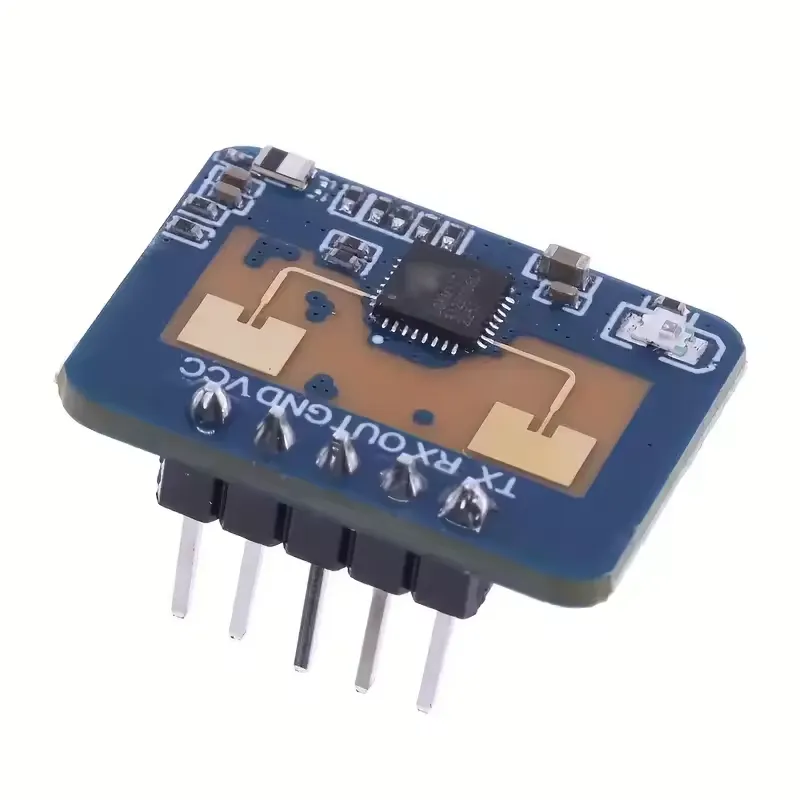
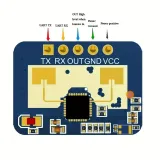
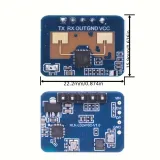
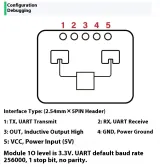
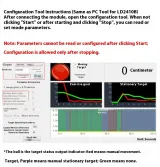
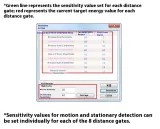
SKU: OT1021 Artikelnummer: OT1021 EAN: 8721244302904
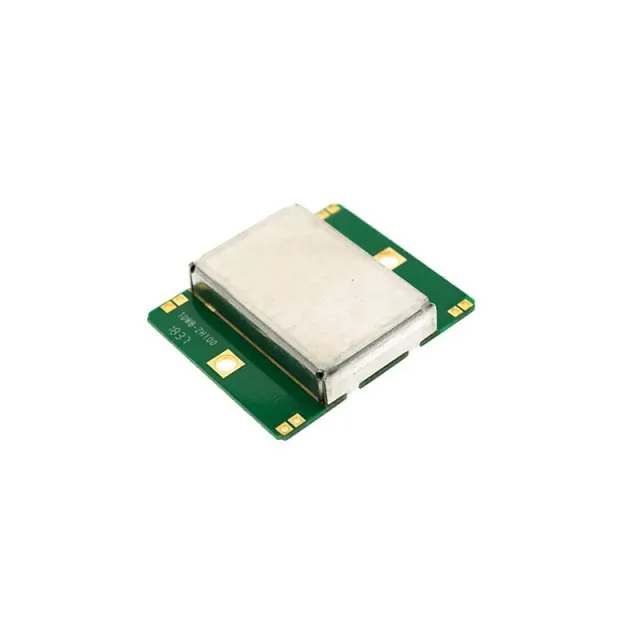
LD2410C är en avancerad närvarosensor som detekterar mänskliga rörelser med hjälp av 24 GHz FMCW-millimetervågsradar. Till skillnad från traditionella PIR-sensorer fungerar denna modul via mikrovågor och dopplereffekten, vilket gör att den kan uppfatta rörelser genom nästan alla material, förutom metall.
LD2410C erbjuder en pålitlig och flexibel lösning för att detektera mänsklig närvaro, även i utmanande miljöer. Tack vare den enkla integreringen och de omfattande inställningsmöjligheterna är denna sensor lämplig för olika smarta tillämpningar utan att du behöver omfattande programmeringskunskaper.
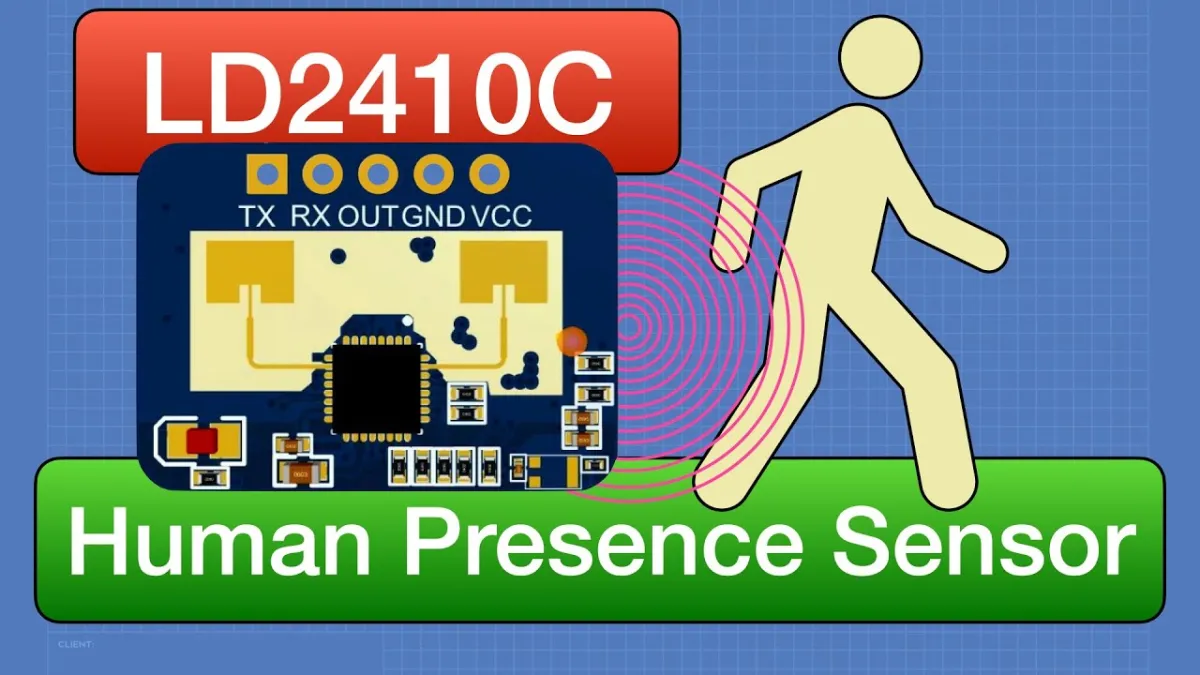
Vid uppspelning laddas videon från YouTube.
Så här kopplar du LD2410C 24GHz mänsklig närvarosensormodul till en Arduino UNO eller ESP32, med ett exempelsketch som du kan ladda upp direkt.
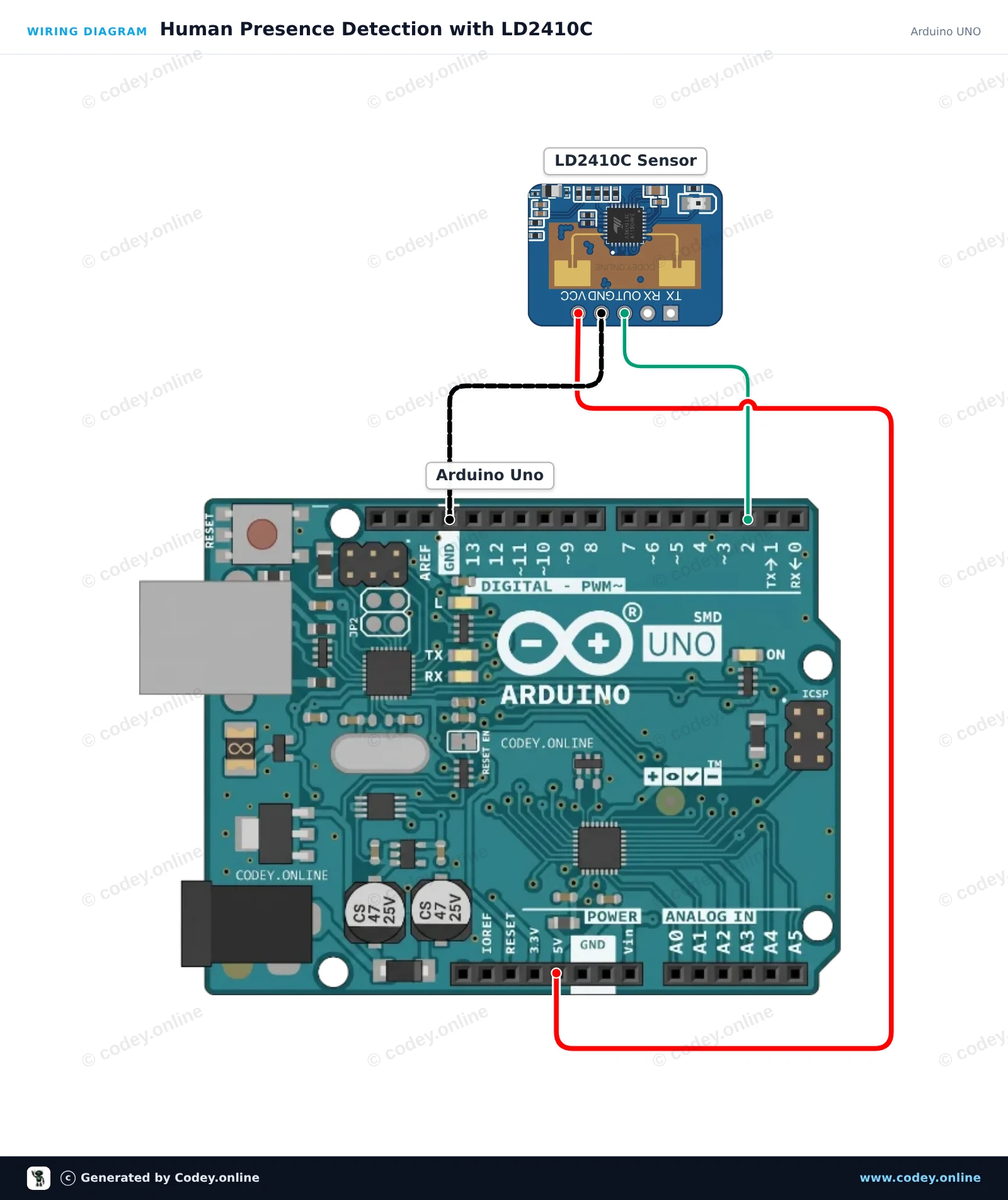
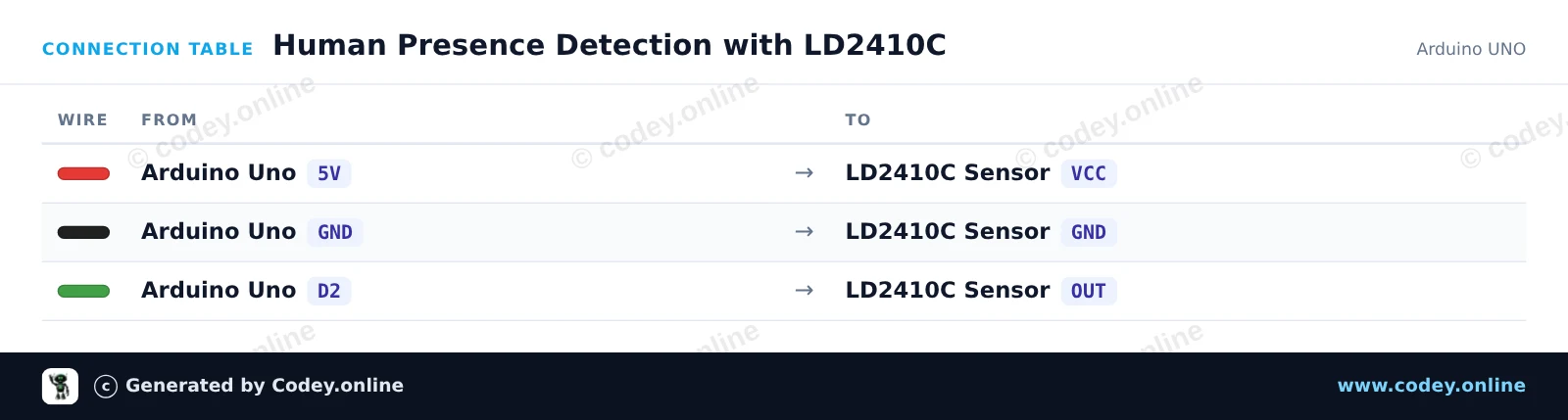
This project detects human presence using the digital output pin of the LD2410C 24GHz mmWave radar sensor. When motion or stationary presence is detected, the built-in LED lights up and the status is reported to the Serial Monitor.
/*
 * ==================================================================
 *  Generated by Codey.online  —  https://www.codey.online
 * ==================================================================
 *  Project   : Human Presence Detection with LD2410C
 *  Board     : Arduino UNO (arduino:avr:uno)
 *  Parts     : Human Presence Sensor LD2410C
 *  Libraries : none (built-in)
 *
 *  Codey Online is an AI-powered browser IDE for Arduino and ESP32.
 *  Describe your project and Codey writes the code, draws the wiring
 *  diagram and uploads it to your board, straight from the browser.
 *  This code is free to use, modify and share, without warranty.
 * ==================================================================
 */

// LD2410C Human Presence Detection Example
// Reads the OUT pin to detect human presence

const int PRESENCE_PIN = 2;
const int LED_PIN = 13;

int lastState = -1;

void setup() {
  pinMode(PRESENCE_PIN, INPUT);
  pinMode(LED_PIN, OUTPUT);

  Serial.begin(115200);
  Serial.println(F("LD2410C Presence Sensor Ready"));
}

void loop() {
  int currentState = digitalRead(PRESENCE_PIN);

  // Update on state change
  if (currentState != lastState) {
    lastState = currentState;

    if (currentState == HIGH) {
      digitalWrite(LED_PIN, HIGH);
      Serial.println(F("Target detected: Presence confirmed!"));
    } else {
      digitalWrite(LED_PIN, LOW);
      Serial.println(F("No target detected."));
    }
  }

  delay(50);
}Wiring diagram and example code generated by Codey.online — https://www.codey.online
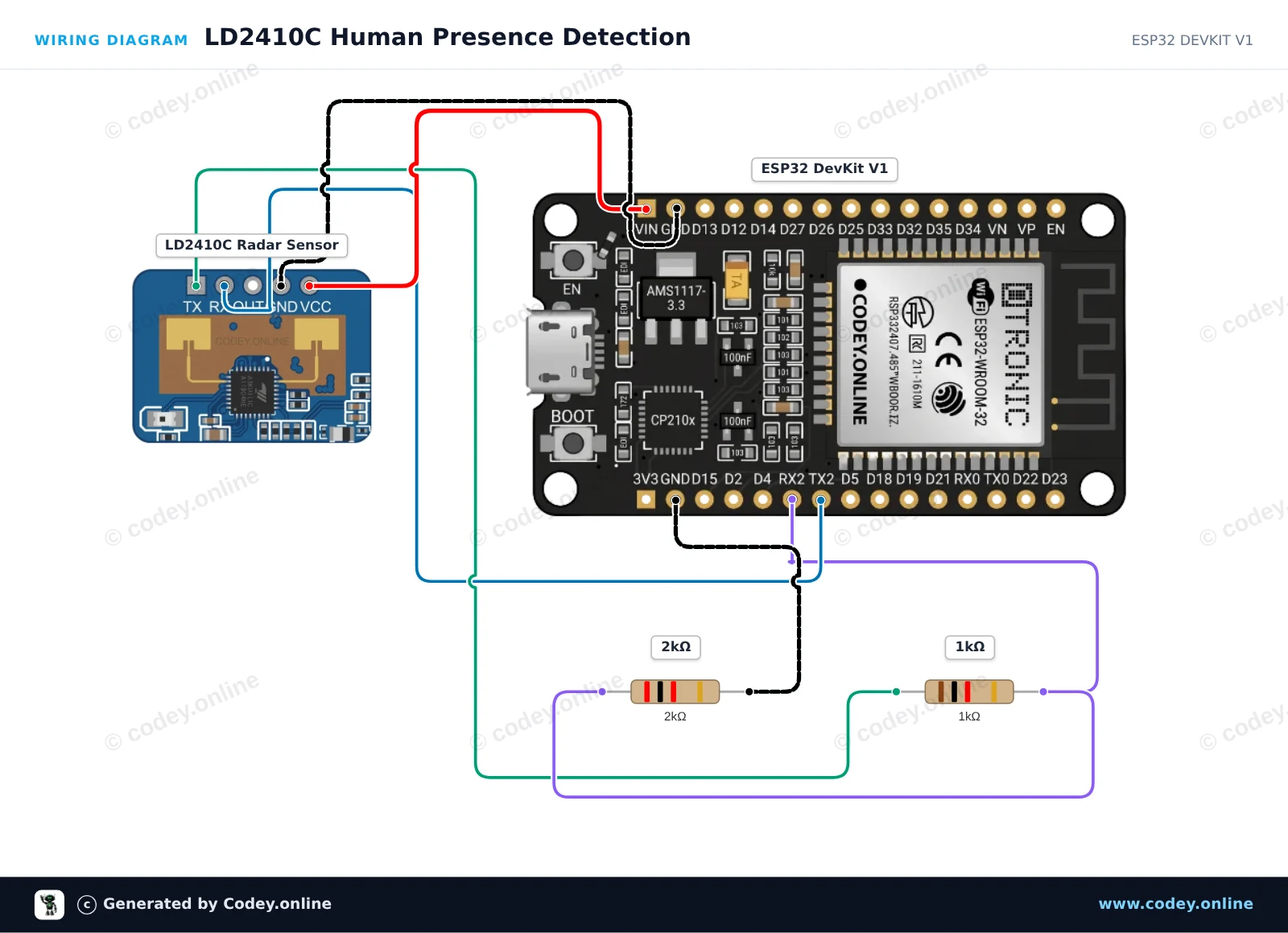
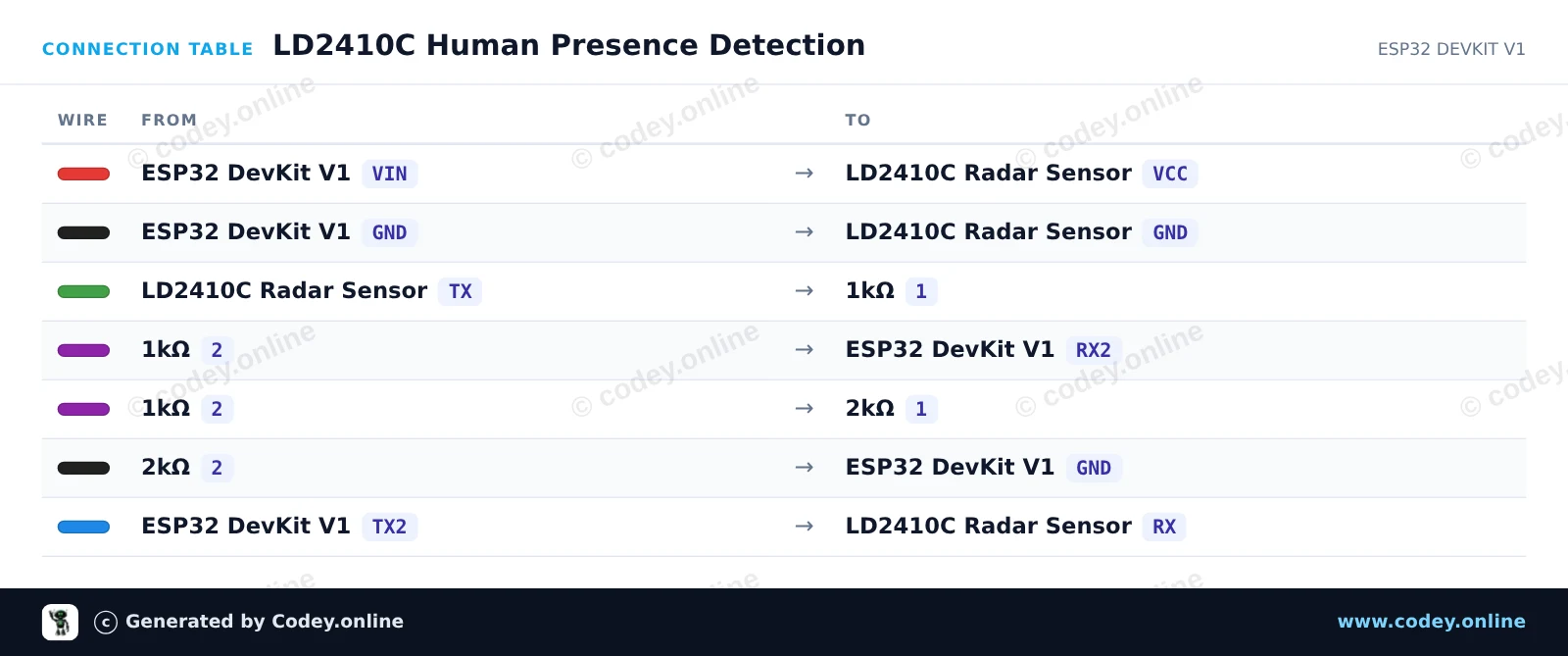
This circuit reads real-time mmWave radar data from the LD2410C sensor over UART using ESP32 Serial2. A resistor voltage divider (1kΩ / 2kΩ) safely steps down the sensor's 5V TX output to 3.3V for the ESP32 RX2 pin. Presence, stationary targets, and moving targets are reported over the Serial Monitor.
/*
 * ==================================================================
 *  Generated by Codey.online  —  https://www.codey.online
 * ==================================================================
 *  Project   : LD2410C Human Presence Detection
 *  Board     : ESP32 DEVKIT V1 (esp32:esp32:esp32doit-devkit-v1)
 *  Parts     : Human Presence Sensor LD2410C
 *  Libraries : none (built-in)
 *
 *  Codey Online is an AI-powered browser IDE for Arduino and ESP32.
 *  Describe your project and Codey writes the code, draws the wiring
 *  diagram and uploads it to your board, straight from the browser.
 *  This code is free to use, modify and share, without warranty.
 * ==================================================================
 */

#include <ld2410.h>

ld2410 radar;
uint32_t lastPrint = 0;

void setup() {
  Serial.begin(115200);
  // LD2410C default baud rate is 256000 on Serial2 (RX: 16, TX: 17)
  Serial2.begin(256000, SERIAL_8N1, 16, 17);

  Serial.println("Connecting to LD2410C sensor...");
  if (radar.begin(Serial2)) {
    Serial.println("LD2410C sensor initialized successfully!");
  } else {
    Serial.println("Sensor initialization failed. Check wiring and power.");
  }
}

void loop() {
  radar.read();

  if (radar.isConnected() && (millis() - lastPrint > 500)) {
    lastPrint = millis();

    if (radar.presenceDetected()) {
      Serial.print("Presence: DETECTED | ");
      if (radar.movingTargetDetected()) {
        Serial.print("Moving Target: ");
        Serial.print(radar.movingTargetDistance());
        Serial.print(" cm | ");
      }
      if (radar.stationaryTargetDetected()) {
        Serial.print("Stationary Target: ");
        Serial.print(radar.stationaryTargetDistance());
        Serial.print(" cm");
      }
      Serial.println();
    } else {
      Serial.println("Presence: None");
    }
  }
}Wiring diagram and example code generated by Codey.online — https://www.codey.online








 English
  Nederlands
  Frans
Frans  Deutsch
  Italiano
  Español
  Suomi
Suomi  Polski
  Dansk
Dansk  Ελληνικά
  Български
  Čeština
  Hrvatski
  Aileen