Beställt på vardagar före 14:00 = skickas samma dag. 30 dagars ångerrätt

Kopplingsschema och kodexempel

Så här kopplar du Joystickmodul till en Arduino UNO eller ESP32, med ett exempel­sketch som du kan ladda upp direkt.

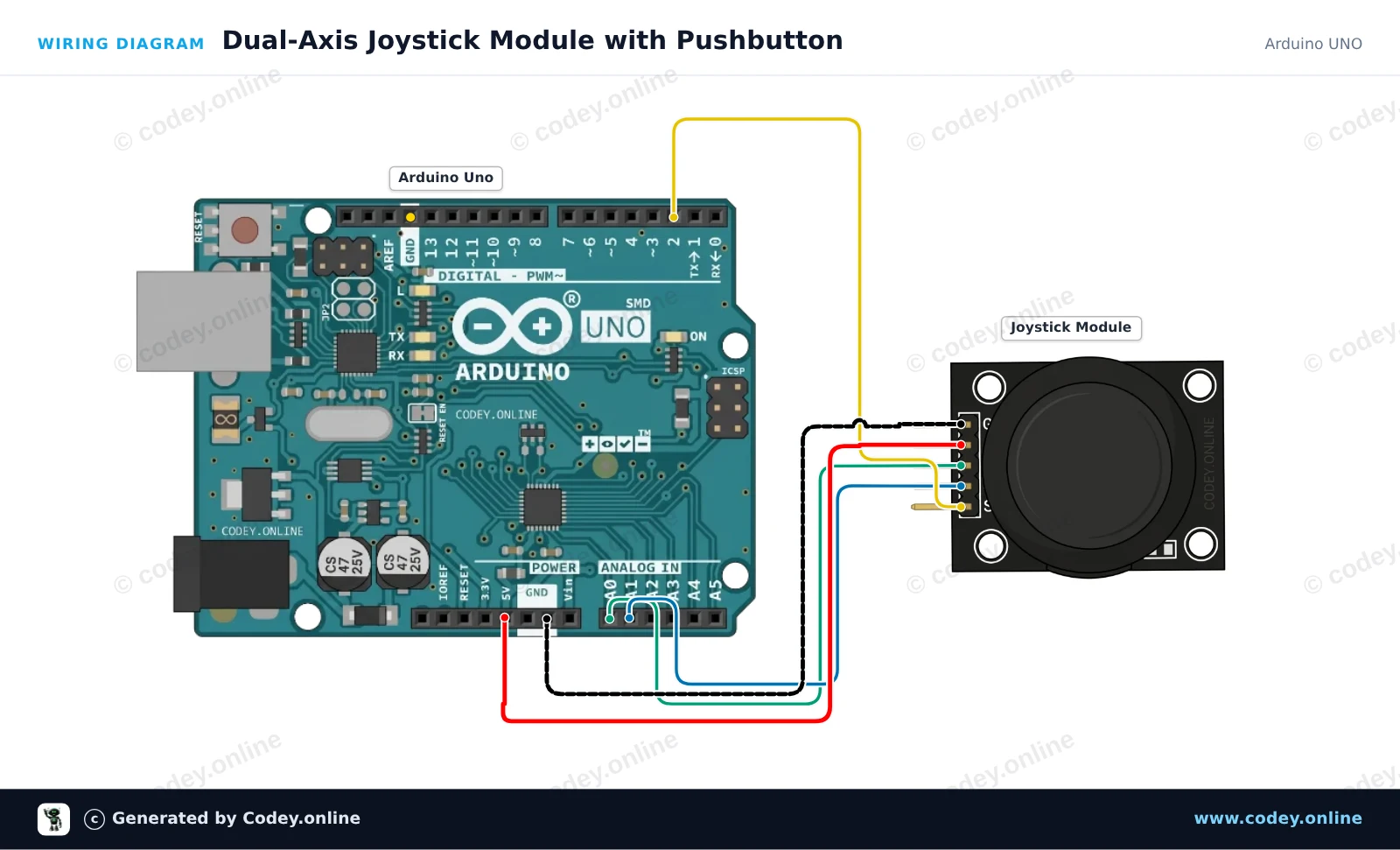
Dual-Axis Joystick Module with Pushbutton

This example reads the analog X and Y axis positions along with the integrated pushbutton from the joystick module. Move the stick or press down on it to view real-time position values and button state in the Serial Monitor.

Kopplingsschema: Joystickmodul på en Arduino UNO
Kopplingsschema · Klicka för att förstora
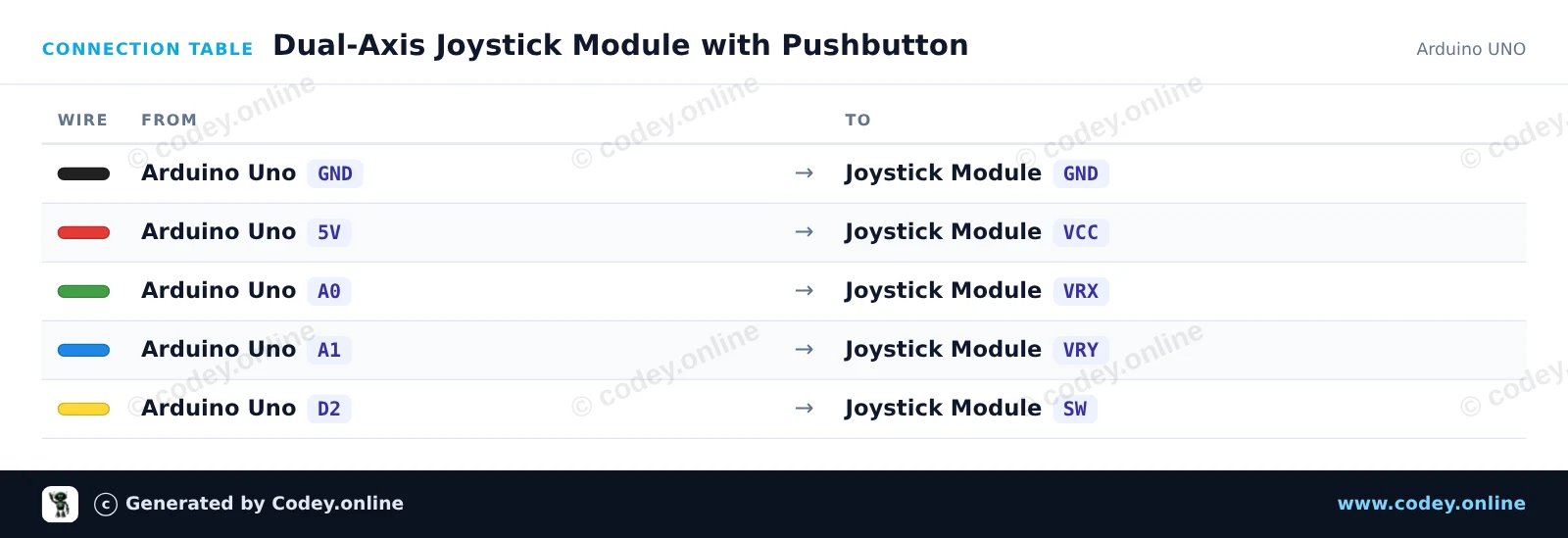
Kopplingstabell: Joystickmodul på en Arduino UNO
Kopplingstabell · Klicka för att förstora
Dual_Axis_Joystick_Module_with_Pushbutto.ino · kompilerad och testad
/*
 * ==================================================================
 *  Generated by Codey.online  —  https://www.codey.online
 * ==================================================================
 *  Project   : Dual-Axis Joystick Module with Pushbutton
 *  Board     : Arduino UNO (arduino:avr:uno)
 *  Parts     : Joystick module
 *  Libraries : none (built-in)
 *
 *  Codey Online is an AI-powered browser IDE for Arduino and ESP32.
 *  Describe your project and Codey writes the code, draws the wiring
 *  diagram and uploads it to your board, straight from the browser.
 *  This code is free to use, modify and share, without warranty.
 * ==================================================================
 */

// Pin definitions
const int PIN_X = A0;
const int PIN_Y = A1;
const int PIN_SW = 2;

void setup() {
  // Enable internal pull-up resistor for the integrated pushbutton
  pinMode(PIN_SW, INPUT_PULLUP);
  
  Serial.begin(115200);
  Serial.println(F("Joystick Module Demo"));
  Serial.println(F("--------------------"));
}

void loop() {
  // Read analog values for X and Y axes (range: 0 - 1023)
  int xVal = analogRead(PIN_X);
  int yVal = analogRead(PIN_Y);
  
  // Button is active-low (reads LOW when pressed)
  bool isPressed = (digitalRead(PIN_SW) == LOW);

  // Print the results to Serial Monitor
  Serial.print(F("X: "));
  Serial.print(xVal);
  Serial.print(F(" | Y: "));
  Serial.print(yVal);
  Serial.print(F(" | Button: "));
  Serial.println(isPressed ? F("PRESSED") : F("RELEASED"));

  delay(150);
}

Wiring diagram and example code generated by Codey.online — https://www.codey.online

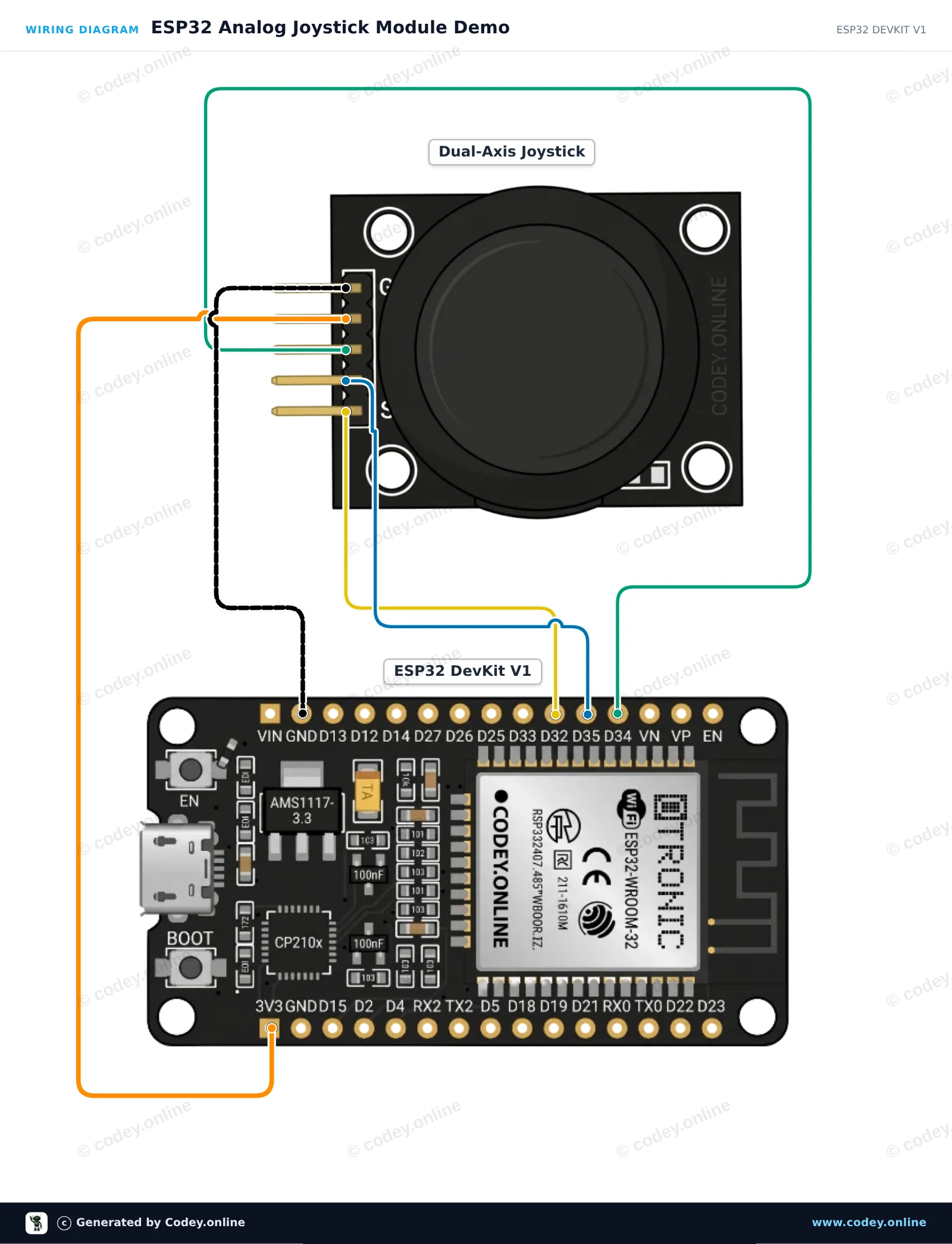
ESP32 Analog Joystick Module Demo

This project reads the X and Y positions as well as the integrated pushbutton state from a dual-axis analog joystick module. The ESP32 reads analog voltages via GPIO 34 and 35, and the button state via GPIO 32. Open the Serial Monitor at 115200 baud to see real-time joystick coordinates and button presses.

Kopplingsschema: Joystickmodul på en ESP32 DevKit V1
Kopplingsschema · Klicka för att förstora
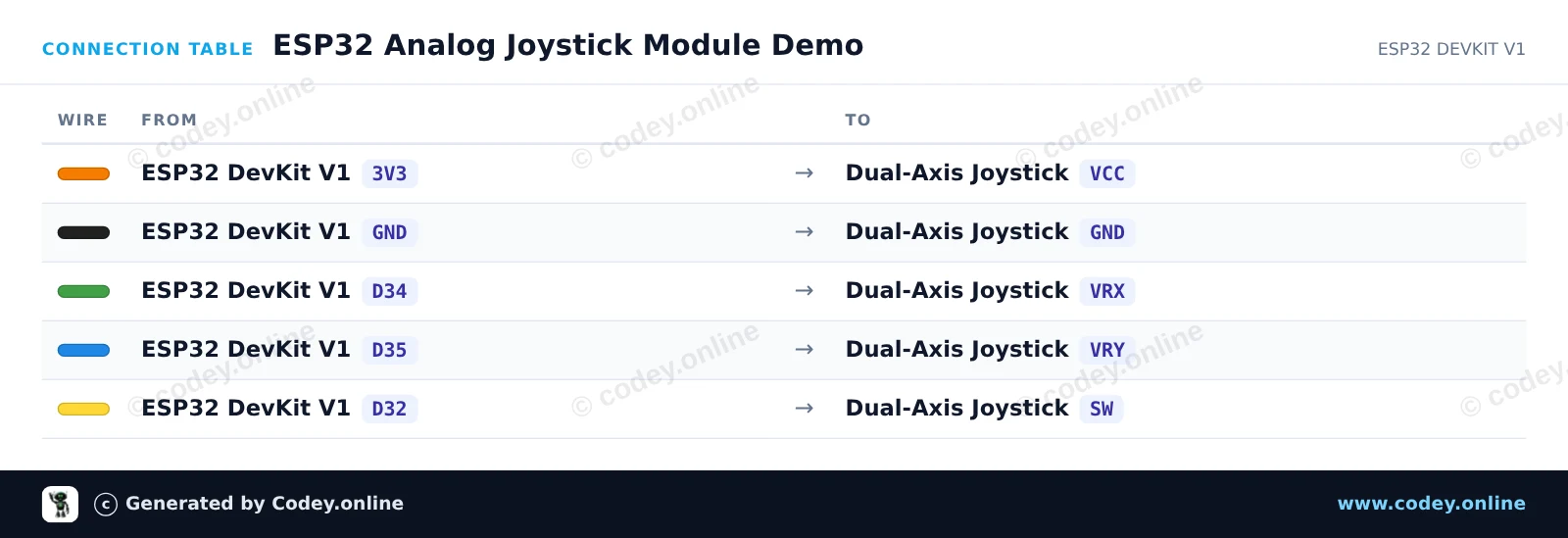
Kopplingstabell: Joystickmodul på en ESP32 DevKit V1
Kopplingstabell · Klicka för att förstora
ESP32_Analog_Joystick_Module_Demo.ino · kompilerad och testad
/*
 * ==================================================================
 *  Generated by Codey.online  —  https://www.codey.online
 * ==================================================================
 *  Project   : ESP32 Analog Joystick Module Demo
 *  Board     : ESP32 DEVKIT V1 (esp32:esp32:esp32doit-devkit-v1)
 *  Parts     : Joystick module
 *  Libraries : none (built-in)
 *
 *  Codey Online is an AI-powered browser IDE for Arduino and ESP32.
 *  Describe your project and Codey writes the code, draws the wiring
 *  diagram and uploads it to your board, straight from the browser.
 *  This code is free to use, modify and share, without warranty.
 * ==================================================================
 */

// Pin definitions (using bare GPIO numbers for ESP32)
const int pinVRX = 34;
const int pinVRY = 35;
const int pinSW  = 32;

void setup() {
  Serial.begin(115200);
  
  // Configure push-button pin with internal pull-up
  pinMode(pinSW, INPUT_PULLUP);
}

void loop() {
  // Read analog values from joystick potentiometers (0 - 4095 on ESP32)
  int xVal = analogRead(pinVRX);
  int yVal = analogRead(pinVRY);
  
  // Read digital state of the integrated switch (LOW when pressed)
  bool isPressed = (digitalRead(pinSW) == LOW);

  // Print the readings to the Serial Monitor
  Serial.print("X: ");
  Serial.print(xVal);
  Serial.print(" | Y: ");
  Serial.print(yVal);
  Serial.print(" | Button: ");
  Serial.println(isPressed ? "PRESSED" : "RELEASED");

  delay(100);
}

Wiring diagram and example code generated by Codey.online — https://www.codey.online

Produktsäkerhet
Tillverkare
OTRONIC
Meerweg 76A, 2121 VC BENNEBROEK, Nederland
support@otronic.nl
Ansvarig i EU
OTRONIC
Meerweg 76A, 2121 VC BENNEBROEK, Nederland
support@otronic.nl
Säkerhetsinformation
Läs produktinformationen och eventuell manual före användning. Elektroniska moduler och delar är avsedda för personer med teknisk kunskap; förvara dem utom räckhåll för barn. Använd endast angiven spänning och anslut eller koppla inte loss något medan kretsen är spänningssatt. Lämna uttjänt elektronik och batterier till en insamlingsplats; släng dem inte i hushållsavfallet.

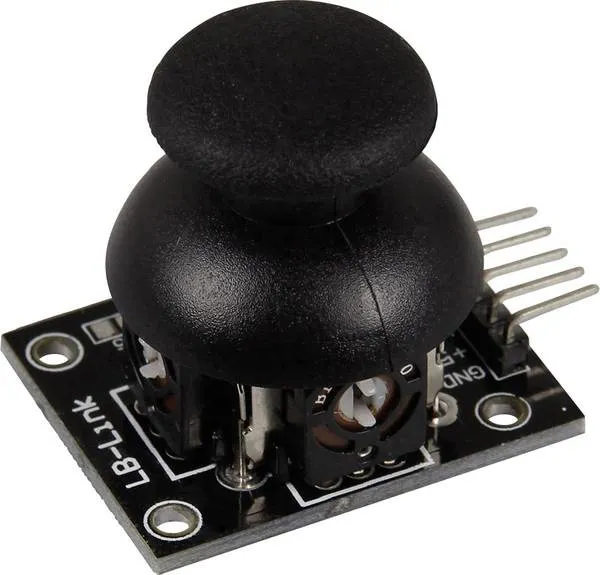
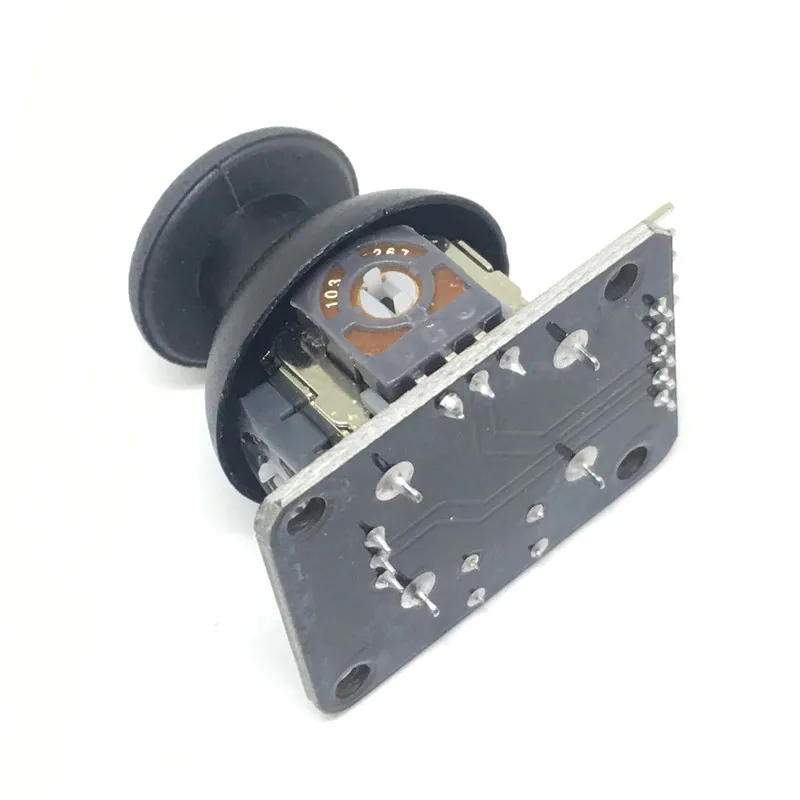
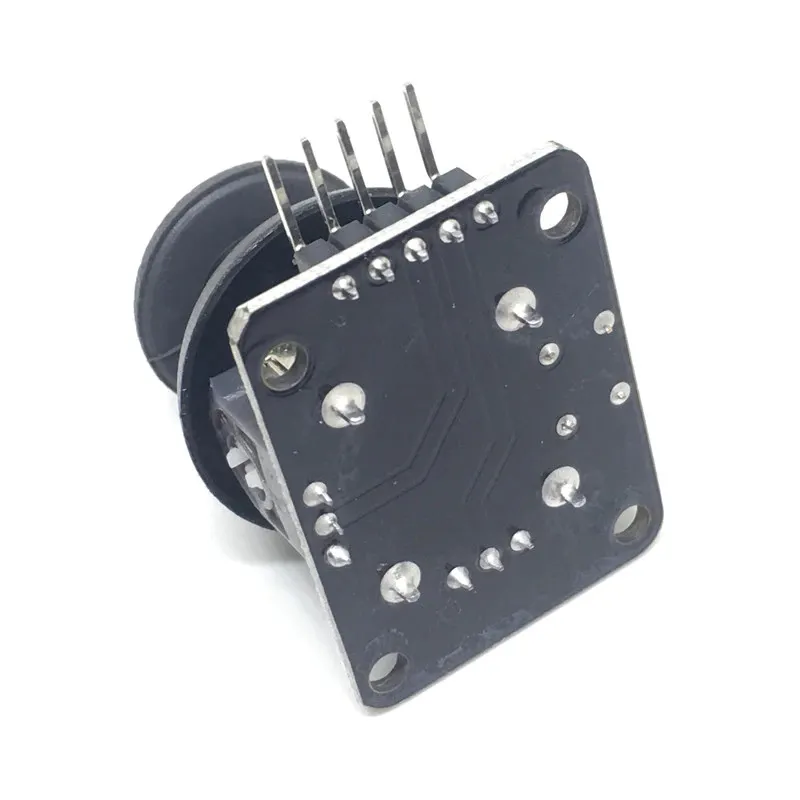
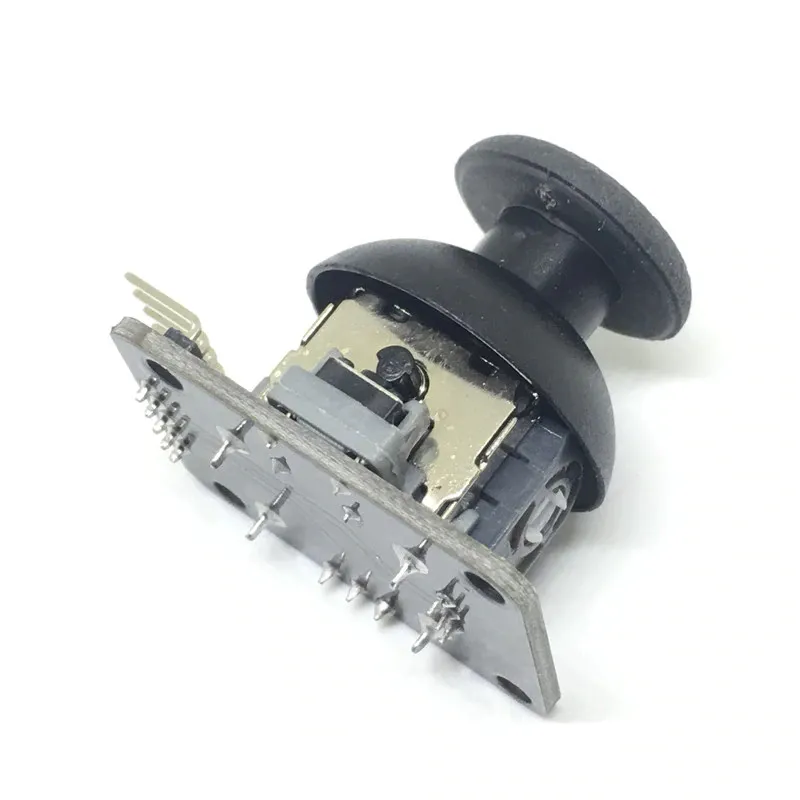
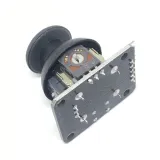
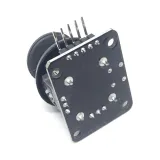
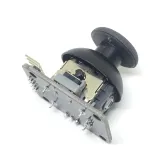
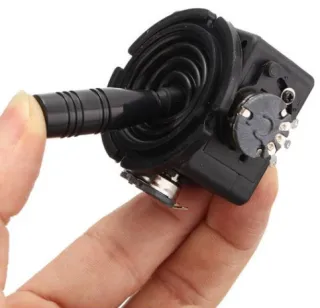
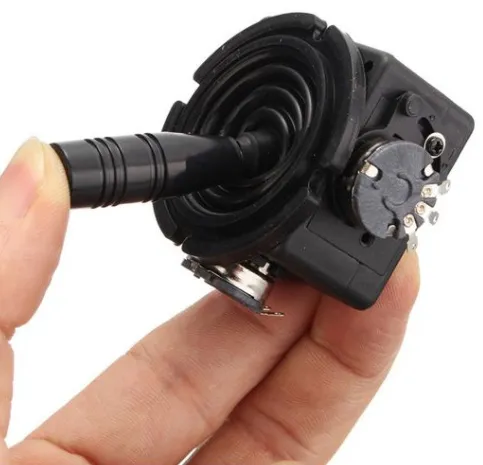
Joystickmodul

Med detta kort kan joystickens X- och Y-position visas som analog spänning på utgångsstiften. Lämplig för bl.a. Arduino-, Raspberry Pi-, ESP8266- eller ESP32-projekt.

se här kopplingsschemat och exempel-koden >>>

Modulen kan lödas eller användas på ett breadboard.

Spänningsområde: 0 - 5 V
Driftspänning: 3,3 - 5V
Mått: 34 x 39 x 26 mm

  • 34 x 39 x 26 mm
  • 3,3 - 5V
  • Analog spänning
  • X- och Y-utgång

Varför välja denna produkt?

  • Analog positionsutgång – Visar X- och Y-position som spänning.
  • Lämplig för projekt – Kan användas med Arduino, Raspberry Pi, ESP8266, ESP32.
  • Kan användas på breadboard – Kan användas på ett breadboard.
  • Kan också lödas – Modulen kan lödas.
Specifikationer
Mått34 x 39 x 26 mm
Driftspänning3.3/5V
Lämplig förArduino, Raspberry Pi, ESP8266, ESP32

Recensioner

Inga omdömen än.

Skriv ett omdöme
Ditt omdöme

Frakt & returer

Frakt

  • Paket med spårning85 kr5 arbetsdagar
  • Paket med spårning104 kr5 arbetsdagar
  • Paket med spårning124 kr5 arbetsdagar
  • Paket med spårning130 kr5 arbetsdagar
Allt om frakt

Returer

Inte nöjd? Du har 30 dagars ångerrätt efter leverans för att returnera produkten.

Allt om returer