SKU: OT3331 Artikelnummer: AB080 EAN: 8720589817005

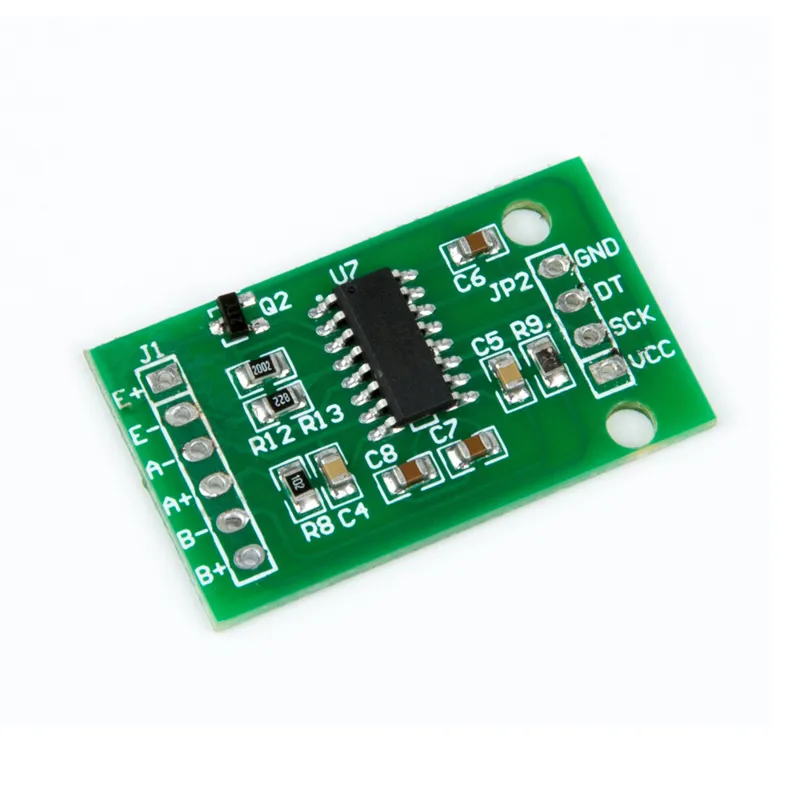
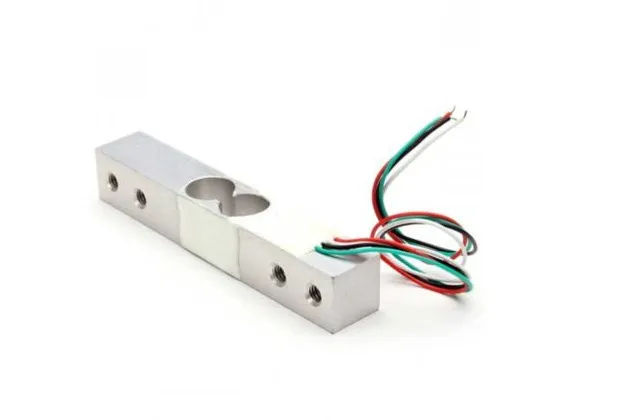
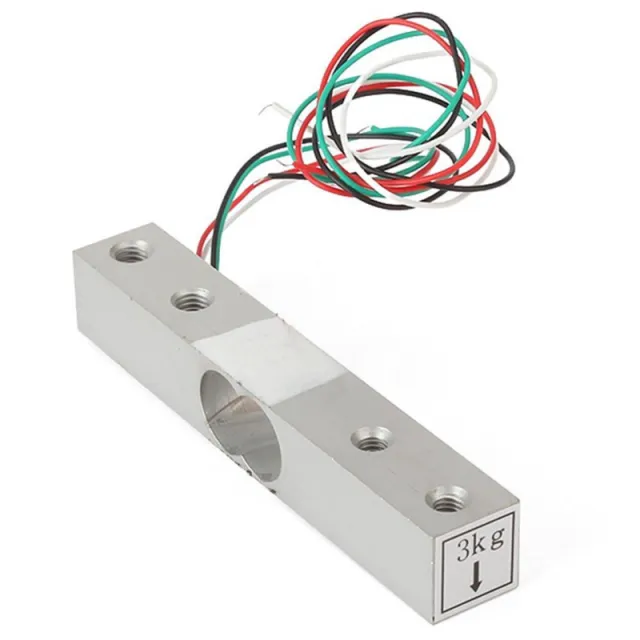
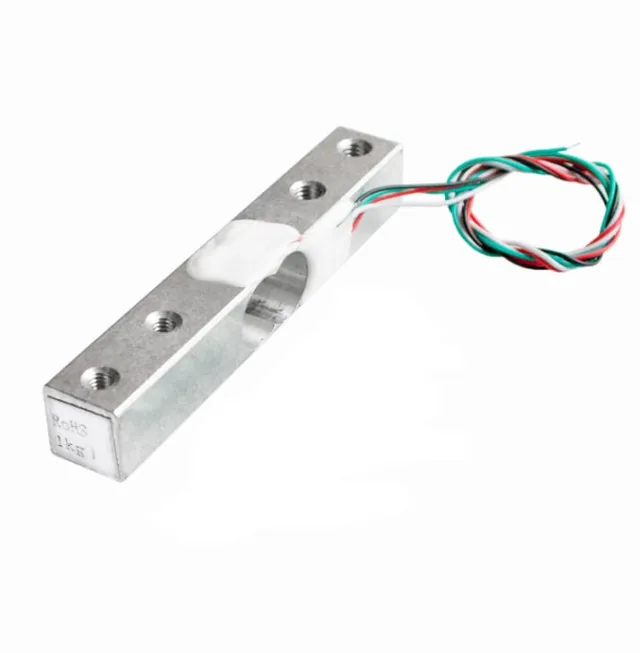
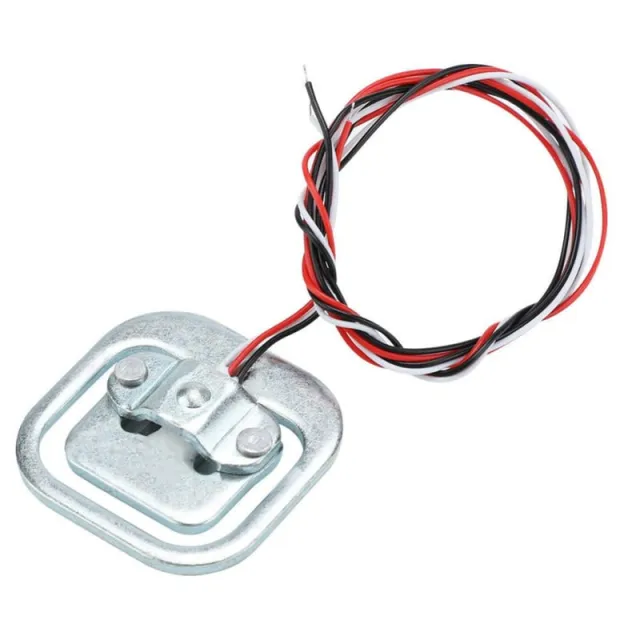
Modulen använder HX711 som controller, en 24-bitars S/D-omvandlarchip som är speciellt utformad för digitala vågar. Till denna modul hör en eller två viktsensorer, som skickar vidare ett variabelt motstånd beroende på vikten.
Med HX711 Load Cell-förstärkaren kan du på ett enkelt sätt läsa av viktsensorer för att bestämma vikten. Eftersom differenssignalen från en viktsensor är mycket liten kan du inte ansluta den direkt till en Arduino, och måste därför använda denna förstärkare.
HX711-modulen är utrustad med en 24-bitars ADC vilket gör att den kan upptäcka de minsta skillnaderna i vikt. Med hjälp av kalibreringsvikter kan du alltså skapa en mycket exakt våg.
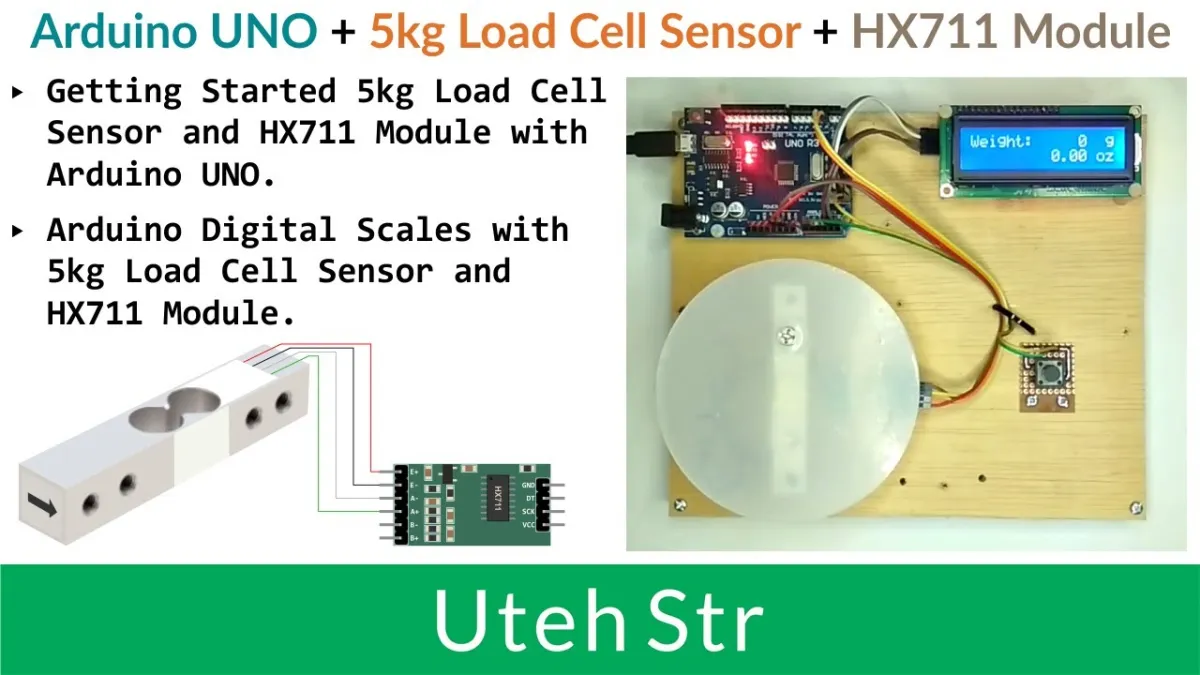
Vid uppspelning laddas videon från YouTube.
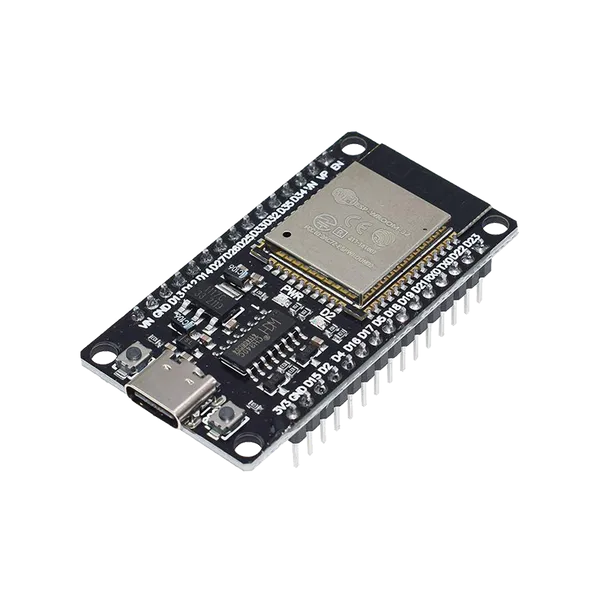
Så här kopplar du HX711 Lastcellsförstärkarmodul till en Arduino UNO eller ESP32, med ett exempelsketch som du kan ladda upp direkt.
This example connects an HX711 24-bit ADC module to the Arduino Uno to read weight data from a load cell. On startup, the module tares (zeros) the scale and continuously prints weight measurements to the Serial Monitor.
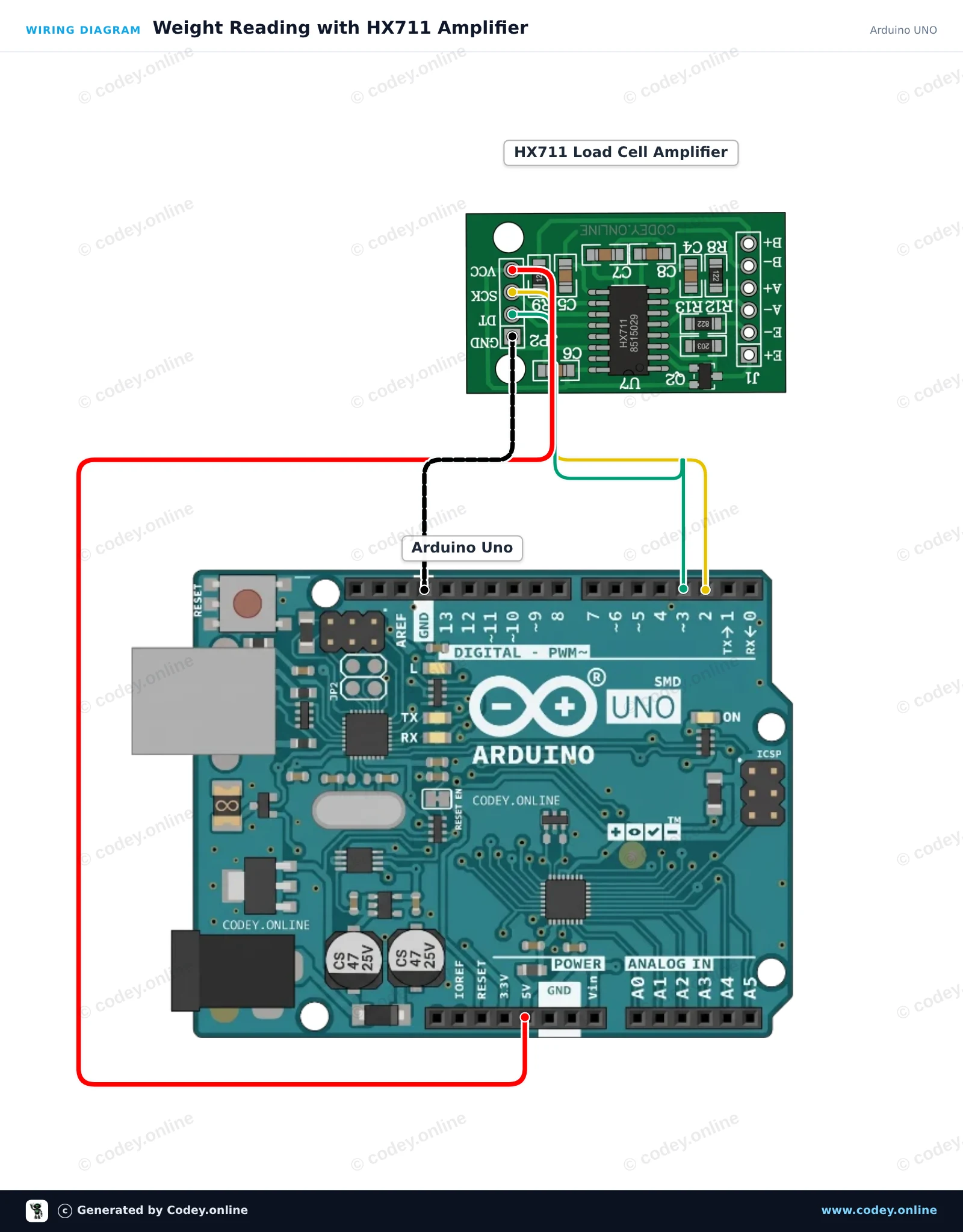
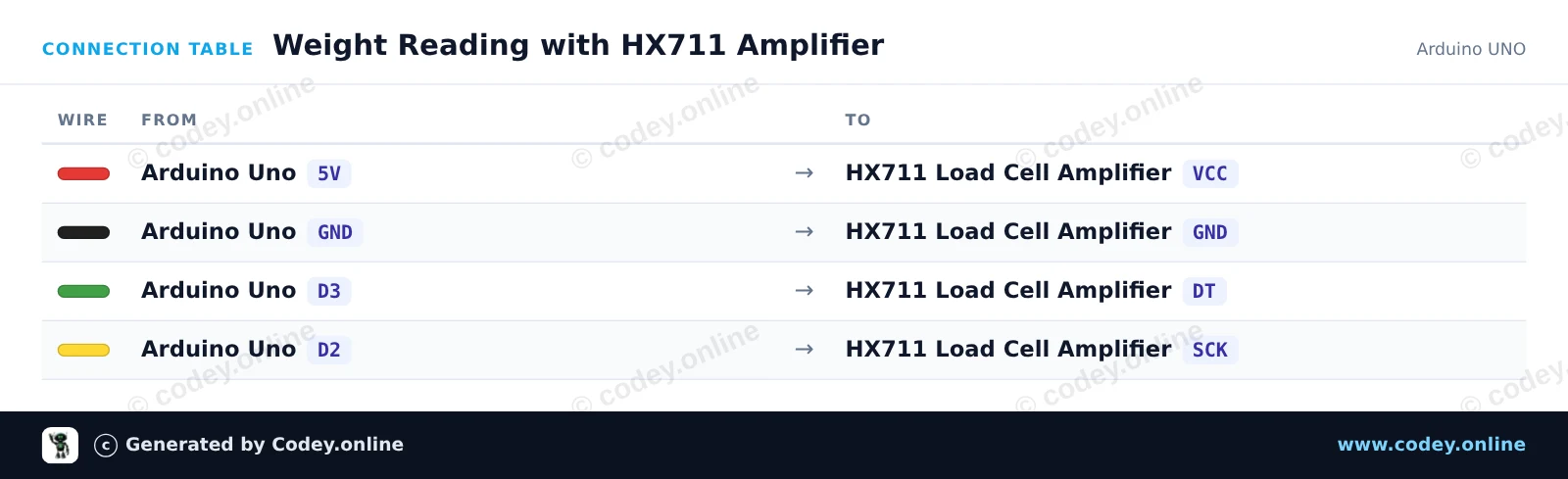
/*
 * ==================================================================
 *  Generated by Codey.online  —  https://www.codey.online
 * ==================================================================
 *  Project   : Weight Reading with HX711 Amplifier
 *  Board     : Arduino UNO (arduino:avr:uno)
 *  Parts     : HX711 Load Cell Amplifier
 *  Libraries : HX711 Arduino Library 0.7.5
 *
 *  Codey Online is an AI-powered browser IDE for Arduino and ESP32.
 *  Describe your project and Codey writes the code, draws the wiring
 *  diagram and uploads it to your board, straight from the browser.
 *  This code is free to use, modify and share, without warranty.
 * ==================================================================
 */

#include "HX711.h"

const int DOUT_PIN = 3;
const int SCK_PIN = 2;

HX711 scale;

void setup() {
  Serial.begin(115200);
  Serial.println(F("HX711 Load Cell Demo"));

  scale.begin(DOUT_PIN, SCK_PIN);

  Serial.println(F("Taring... ensure no weight is on the scale."));
  scale.set_scale();
  scale.tare();
  Serial.println(F("Tare complete. Place weight on load cell."));
}

void loop() {
  if (scale.is_ready()) {
    long reading = scale.get_units(5);
    Serial.print(F("Reading: "));
    Serial.println(reading);
  } else {
    Serial.println(F("HX711 not detected."));
  }
  delay(500);
}Nödvändiga bibliotek: HX711 Arduino Library 0.7.5
Wiring diagram and example code generated by Codey.online — https://www.codey.online
This project interfaces an HX711 24-bit load cell amplifier with the ESP32. On startup, the sketch tares the scale and then continuously outputs raw load cell readings to the Serial Monitor at 115200 baud. Powering the HX711 from 3.3V ensures signal levels are directly compatible with ESP32 GPIOs.
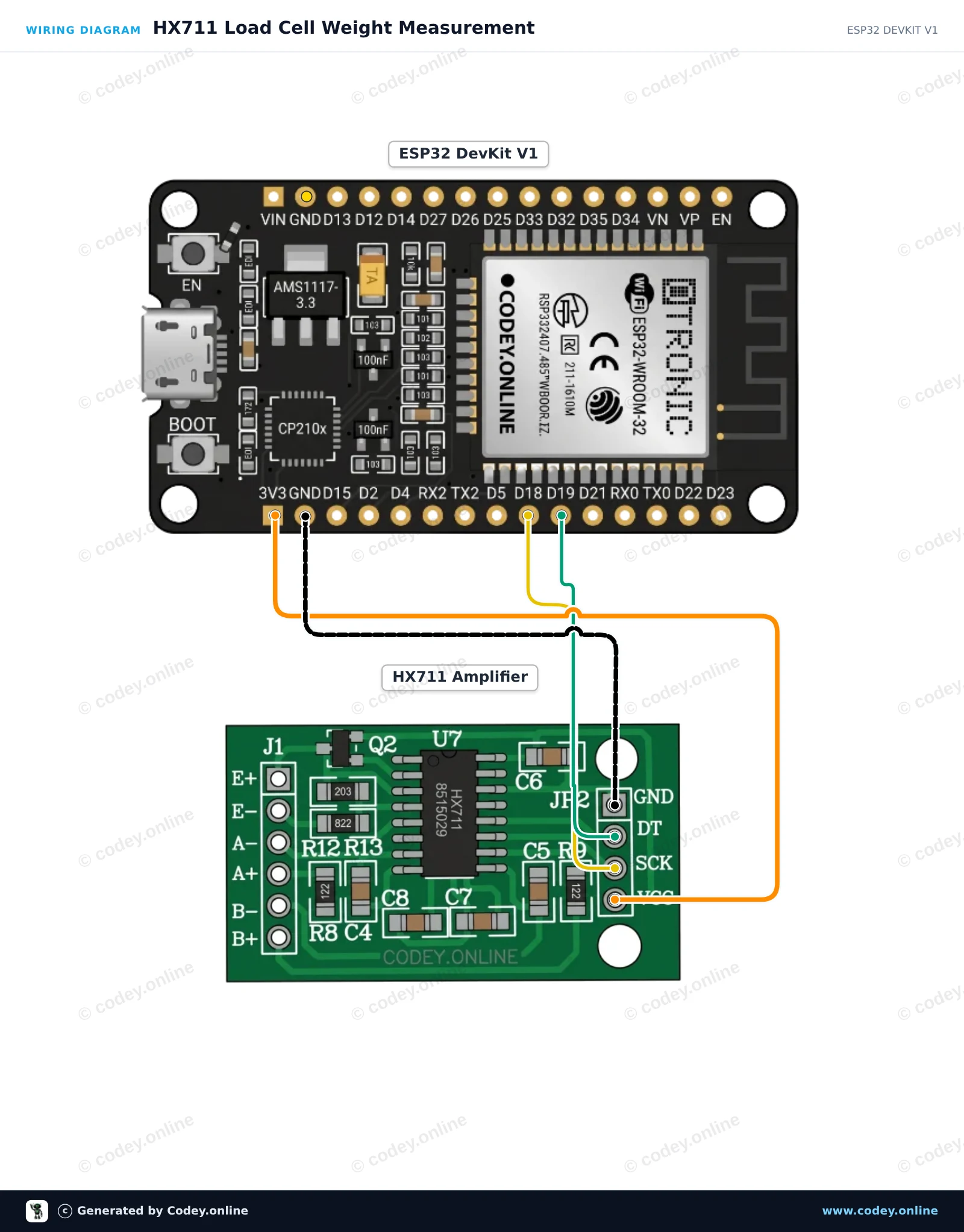
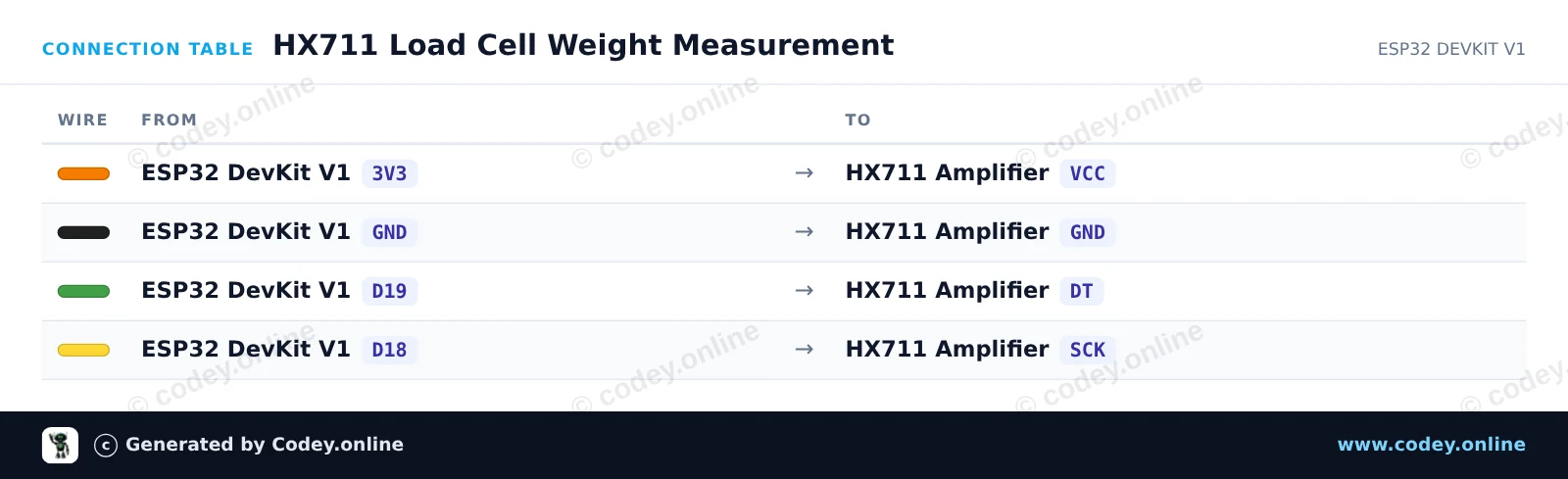
/*
 * ==================================================================
 *  Generated by Codey.online  —  https://www.codey.online
 * ==================================================================
 *  Project   : HX711 Load Cell Weight Measurement
 *  Board     : ESP32 DEVKIT V1 (esp32:esp32:esp32doit-devkit-v1)
 *  Parts     : HX711 Load Cell Amplifier
 *  Libraries : HX711 Arduino Library 0.7.5
 *
 *  Codey Online is an AI-powered browser IDE for Arduino and ESP32.
 *  Describe your project and Codey writes the code, draws the wiring
 *  diagram and uploads it to your board, straight from the browser.
 *  This code is free to use, modify and share, without warranty.
 * ==================================================================
 */

#include "HX711.h"

// Pin definitions (GPIO 19 for DOUT, GPIO 18 for SCK)
const int DOUT_PIN = 19;
const int SCK_PIN = 18;

HX711 scale;

void setup() {
  Serial.begin(115200);
  while (!Serial) { delay(10); }

  Serial.println("HX711 Weight Sensor Demo");
  scale.begin(DOUT_PIN, SCK_PIN);

  Serial.println("Initializing sensor...");
  delay(1000);

  if (scale.is_ready()) {
    scale.set_scale();    // Set default scale factor
    scale.tare();         // Reset the scale to 0 (tare)
    Serial.println("Tare complete. Place weight on the load cell.");
  } else {
    Serial.println("HX711 not detected. Check wiring.");
  }
}

void loop() {
  if (scale.is_ready()) {
    long reading = scale.get_units(5); // Average of 5 readings
    Serial.print("Raw reading: ");
    Serial.println(reading);
  } else {
    Serial.println("HX711 not ready.");
  }
  delay(500);
}Nödvändiga bibliotek: HX711 Arduino Library 0.7.5
Wiring diagram and example code generated by Codey.online — https://www.codey.online






 English
  Nederlands
  Frans
Frans  Deutsch
  Italiano
  Español
  Suomi
Suomi  Polski
  Dansk
Dansk  Ελληνικά
  Български
  Čeština
  Hrvatski
  Aileen